Onboarding Settings
Onboarding Settings is where you build the onboarding checklist your new starters work through - the documents they sign, the files you need from them, and any questions you want answered.
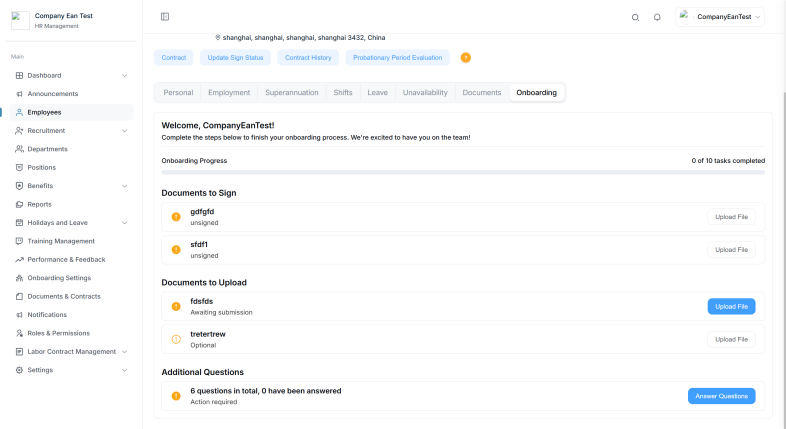
Employees complete these items from their own profile - see Onboarding for the employee's view.
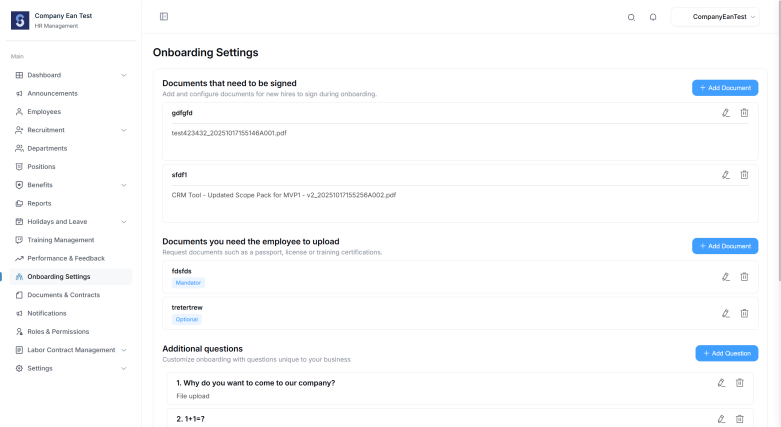
The page has three sections.
Documents that need to be signed
Add and configure documents for new hires to sign during onboarding, such as an employment contract, NDA, or code of conduct.
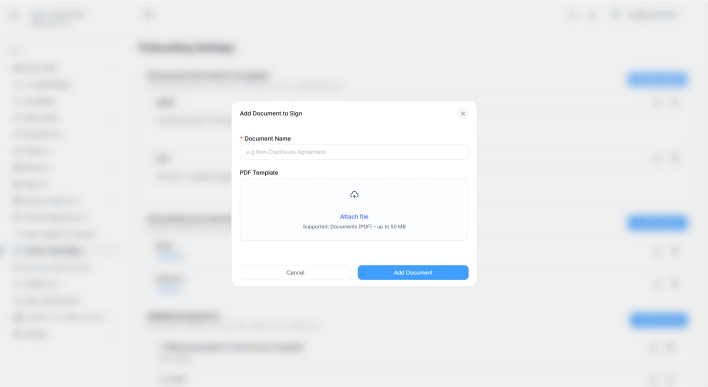
Select Add Document to open Add Document to Sign, then complete:
| Field | Description |
|---|---|
| Document Name | The name the employee sees |
| PDF Template | The document they download, sign, and return |
The employee downloads this template, signs it, and uploads the signed copy back.
Documents you need the employee to upload
Request documents such as a passport, licence, or training certifications.
Select Add Document to open Add Document to Upload, then complete:
| Field | Description |
|---|---|
| Document Name | The name the employee sees |
| Make this document mandatory | Tick to require the document before onboarding can be completed |
Each document in the list is tagged as either Mandatory or Optional so you can see requirements at a glance.
Additional questions
Customize onboarding with questions unique to your business - for example emergency contact details, dietary requirements, or uniform size.
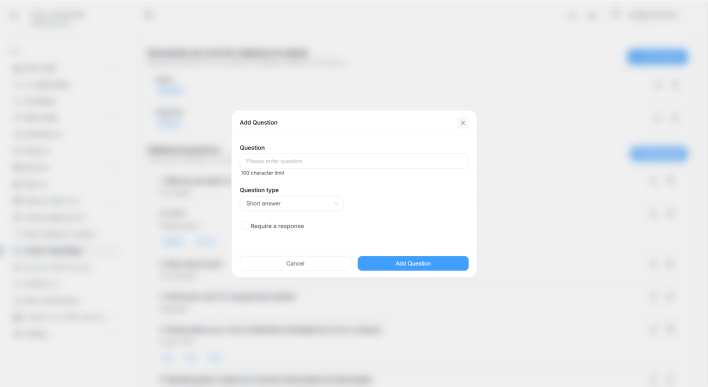
Select Add Question and complete:
| Field | Description |
|---|---|
| Question | The question text |
| Question type | How the employee answers - see below |
| Answers | The options to choose from, for select-type questions. Use Add option to add more |
| Required | Tick to make the question mandatory |
Select Add Question to save it.
Question types
| Type | How the employee answers |
|---|---|
| Short answer | A short line of text |
| Paragraph | A longer response using a text editor |
| Single select | Choose one of your options |
| Multiple select | Choose one or more of your options |
| Date | Pick a date |
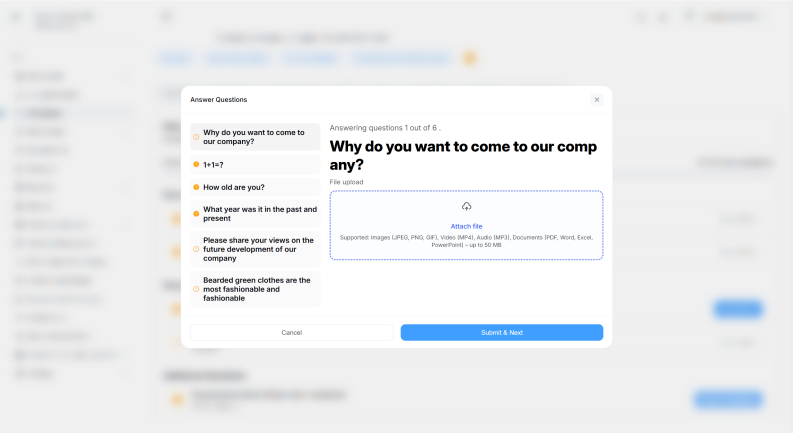
| File upload | Attach one or more files |
The Answers field only applies to Single select and Multiple select questions - that's where you define the options.
What the employee sees
New starters see these items grouped into Documents to Sign, Documents to Upload, and Additional Questions, with a progress bar showing how many tasks they've completed.
Tips
- Keep document names specific, so it's obvious what's being requested
- Mark only genuinely essential uploads as mandatory - optional items still appear, but won't hold up onboarding
- Use Single select or Multiple select where you need consistent answers you can report on later