Reports
Reports brings together the reporting available across ShiftCare HR. The page opens on All reports, with a search box and reports grouped into two sections.
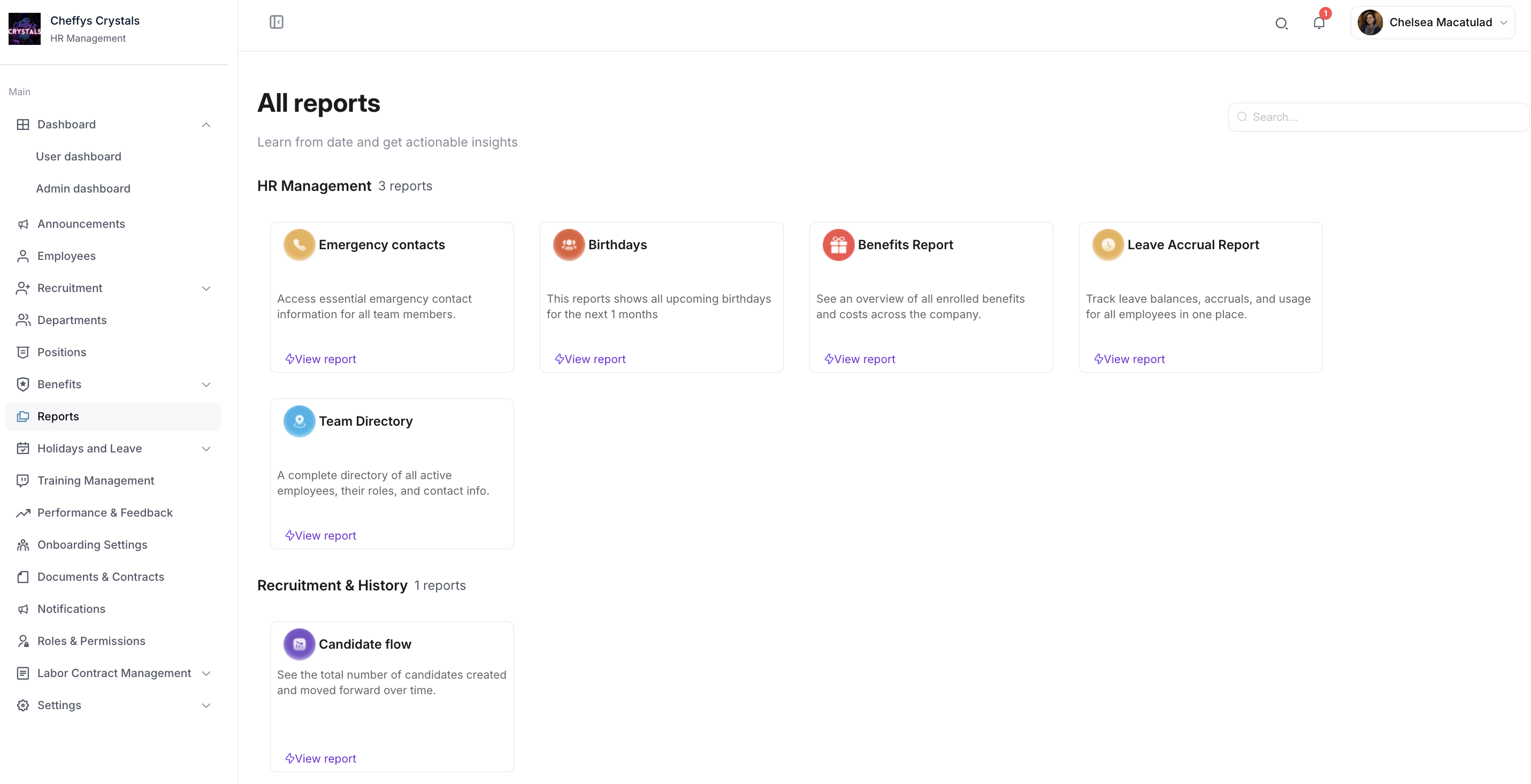
HR Management
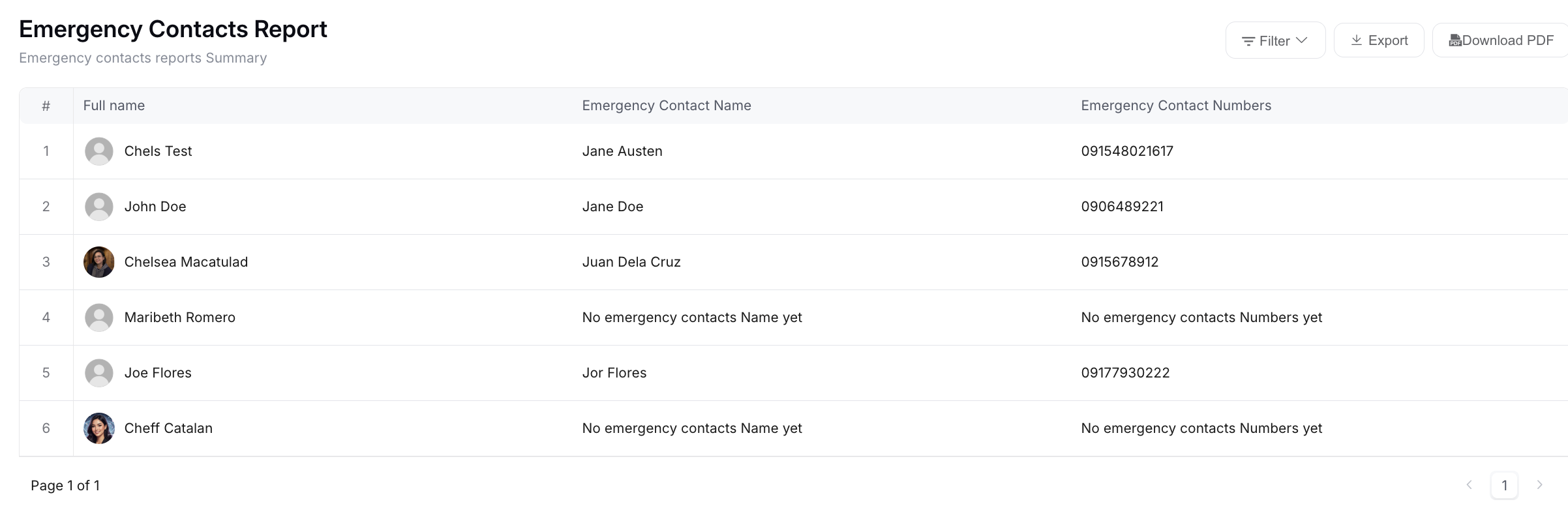
Emergency contacts
Access essential emergency contact information for all team members.
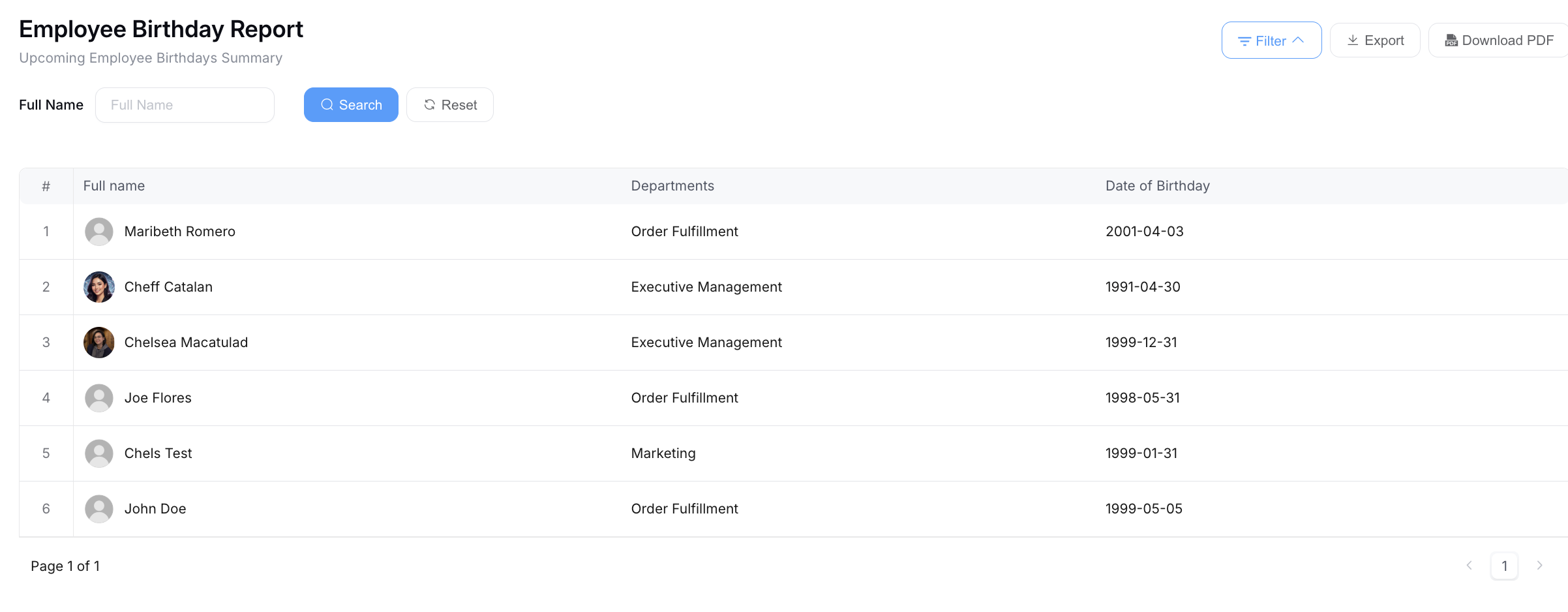
Birthdays
Shows all upcoming birthdays for the next month.
Work Anniversaries
See each employee's hire date and how long they've been with the company.
Benefits Report
An overview of all enrolled benefits and costs across the company.
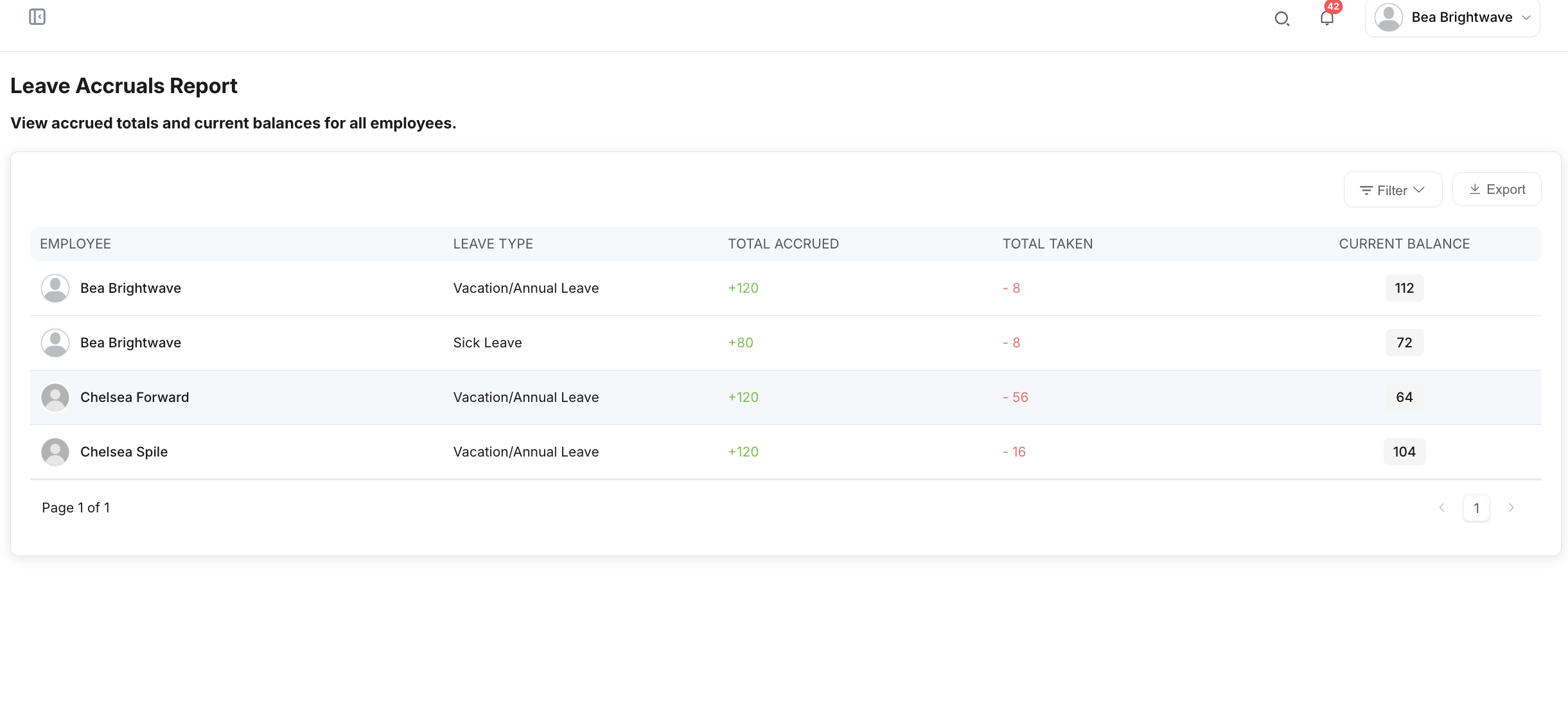
Leave Accrual Report
Track leave balances, accruals, and usage for all employees in one place.
Team Directory
A complete directory of all active employees, their roles, and contact information.
Performance Targets Report
Comprehensive analytics and progress tracking for all employee performance targets.
Recruitment & History
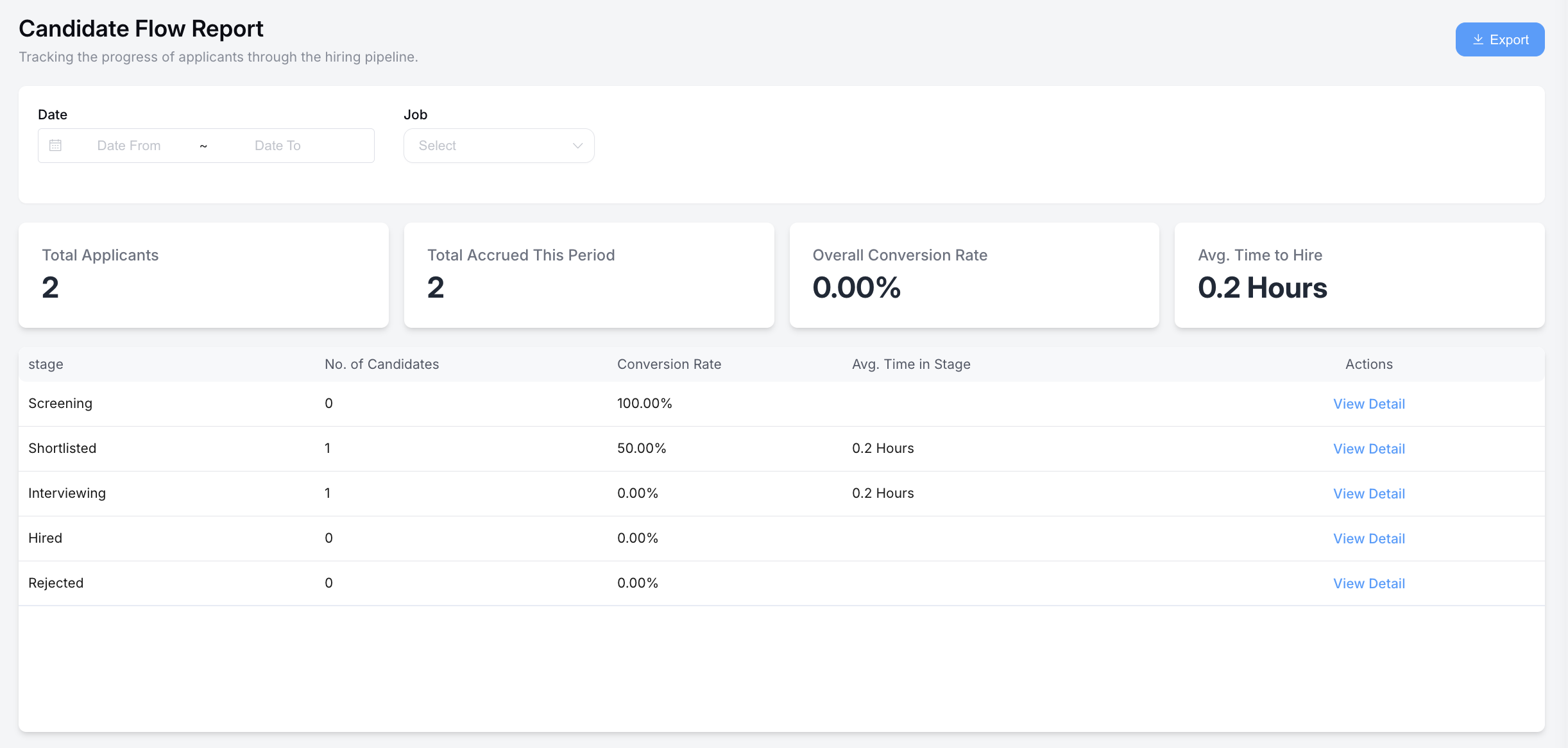
Candidate flow
See the total number of candidates created and moved forward over time.
Working with reports
Select a report to open it. Most reports offer filters to narrow the data, and an option to export so you can work with the figures outside the system.
Use the search box on All reports to jump straight to a report by name.
Exporting a report to PDF captures the full report, spanning multiple pages if needed.