Performance & Feedback
The Performance & Feedback module provides a comprehensive system for setting, tracking, and managing employee performance targets and goals. This tool enables HR and managers to establish clear objectives, monitor progress, and foster continuous improvement across teams and individuals.
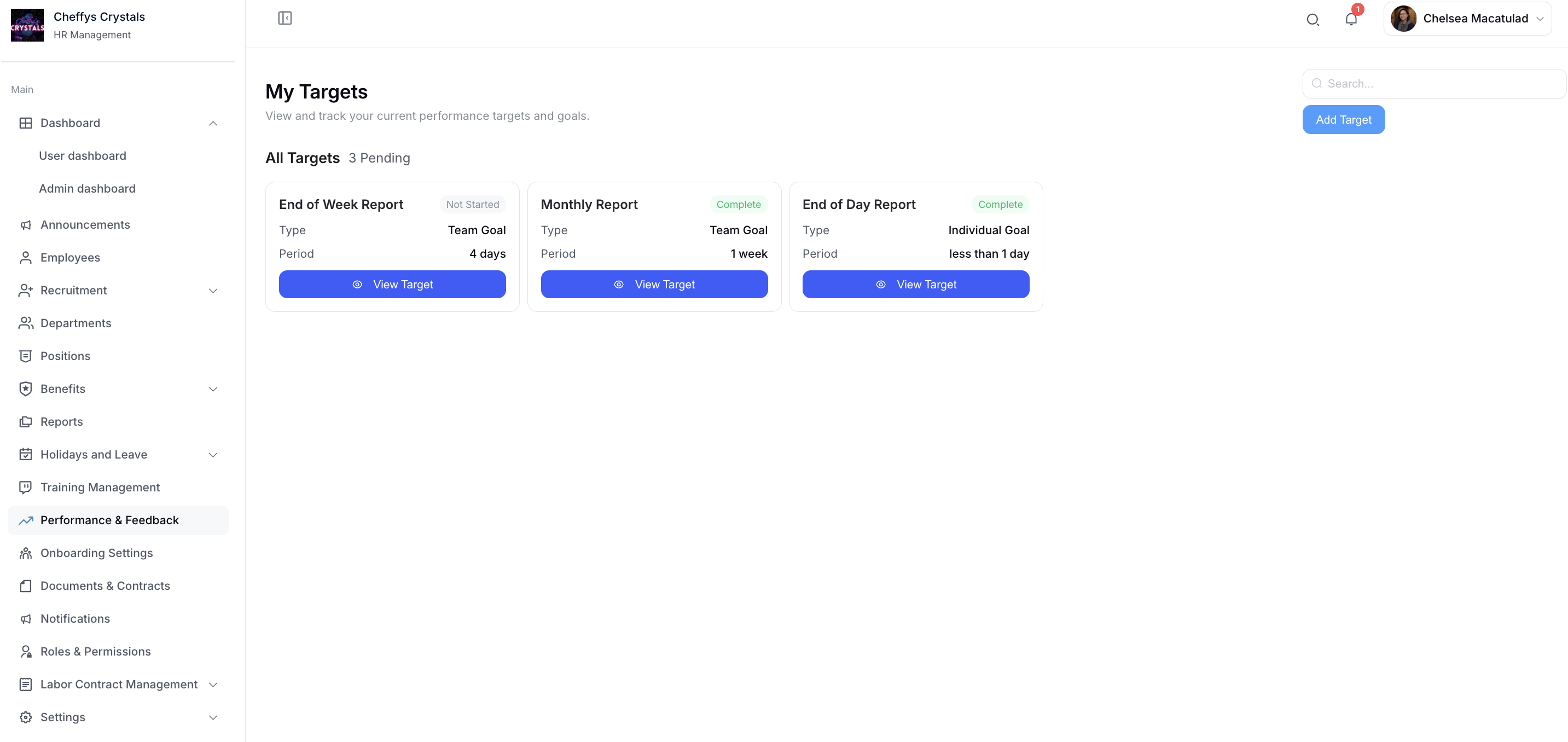
List
View and track all current performance targets and goals in a centralized dashboard. This interface displays:
- Active performance targets for both teams and individuals
- Progress status and completion percentages
- Target deadlines and timelines
- Associated employees or teams
- Quick access to detailed target information
The list view provides an at-a-glance overview of organizational performance objectives, making it easy to monitor multiple targets simultaneously.
Add
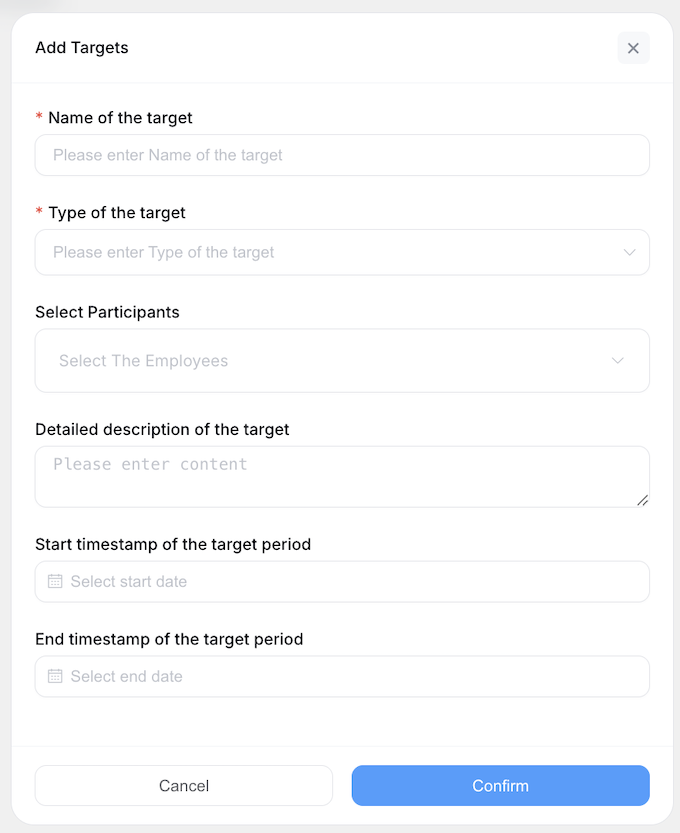
Create a new performance target by clicking the Add button. During target creation, you can:
- Choose between Team Goal, Individual Goal, or Performance Review target types
- Determine the number of employees to be assigned to the target
- Set target descriptions, objectives, and success criteria
- Define timelines and completion deadlines
- Add relevant documentation or context
This flexible system allows you to tailor performance goals to specific organizational needs, whether focusing on individual development or collaborative team achievements.
View
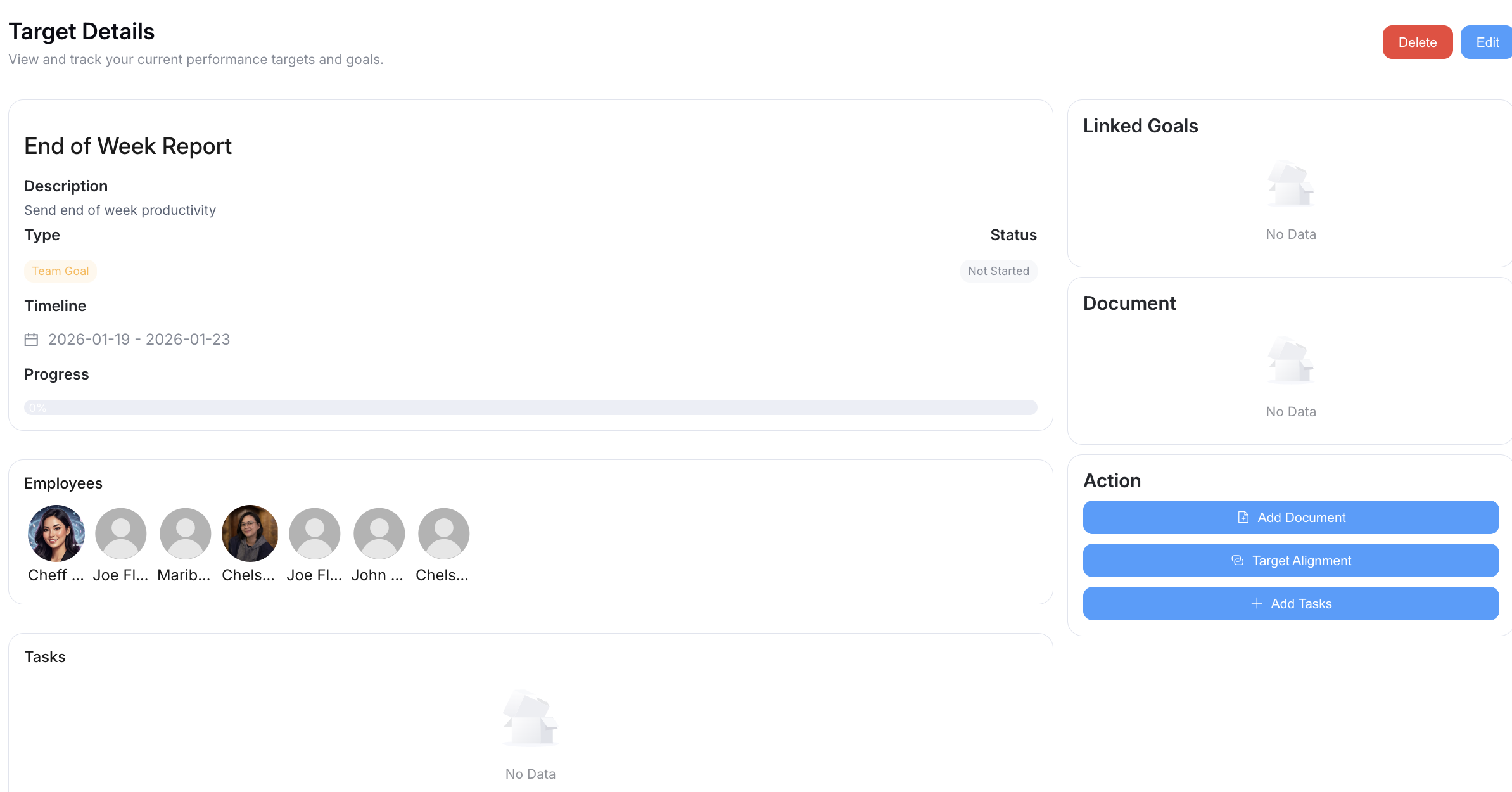
Access comprehensive target details for any performance objective. The view interface displays:
- Complete target information and objectives
- All tasks associated with the target
- Attached files, documents, or reference materials
- Related targets or dependencies
- Progress tracking and completion status
- Employee assignments and responsibilities
This detailed view ensures all stakeholders have full visibility into target requirements and current progress.
Add Tasks
Break down performance targets into manageable, actionable tasks. When adding new target tasks:
- Create specific, measurable tasks that contribute to target completion
- Assign tasks to responsible employees
- Set task deadlines and priorities
- Track task completion status
Automatic Progress Calculation: Target progress is calculated by dividing the number of completed tasks by the total number of tasks, giving a percentage-based progress indicator.
Target statuses
A target moves through the following statuses:
| Status | Meaning |
|---|---|
| Not Started | The target has been created but work hasn't begun |
| In Progress | Work on the target has started |
| Complete | All tasks under the target are finished |
| Confirm | The target head, HR, or an admin has confirmed the completed target |
Once a target is Complete, the target head, HR, or an admin can click Confirm to mark it as reviewed. Feedback can still be submitted on a target in either the Complete or Confirm status.
Once a task's status is Complete, it can be confirmed or refused by the target's head, or by HR/admin.