Benefits
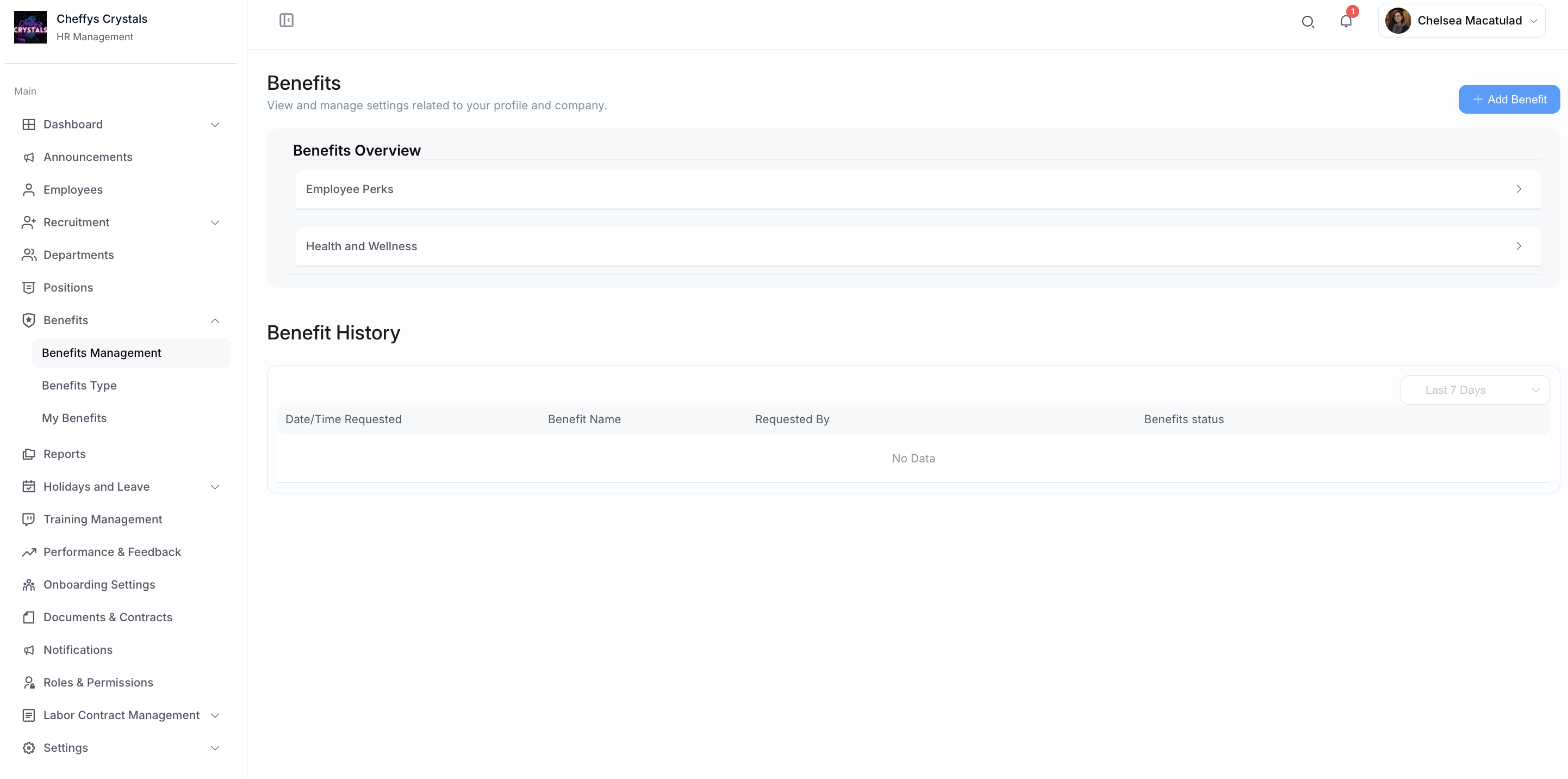
Benefits is where you define what your company offers, create individual benefits, and process the applications employees submit.
Benefits Type
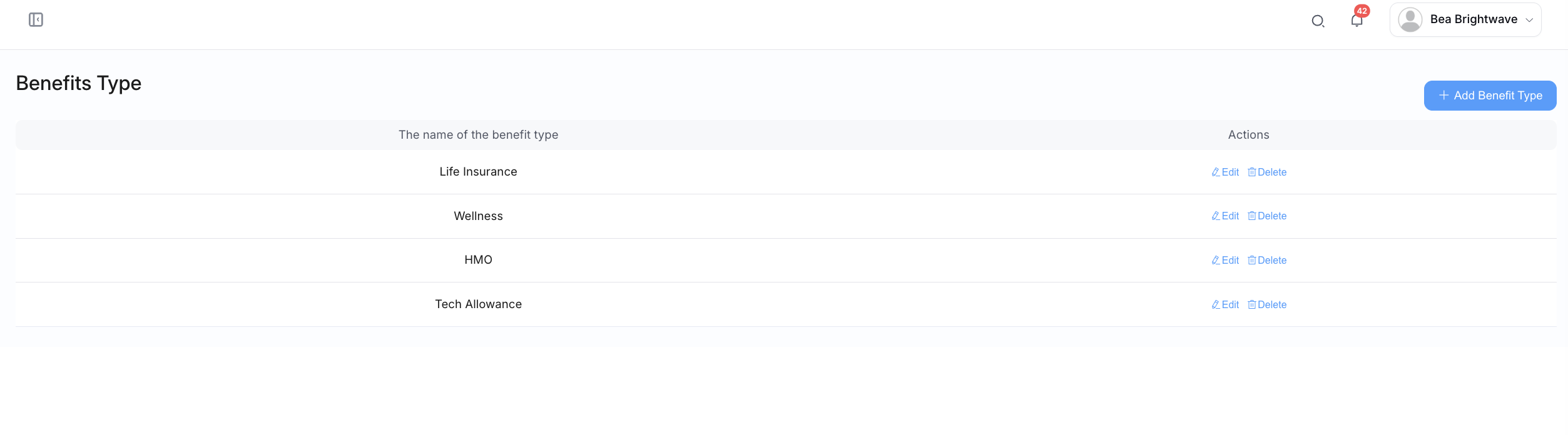
Benefit types are the categories your benefits sit under, for example Medical or Employee Perks.
Select Add Benefit Type and enter the Name of the benefit to create one. Existing types can be edited or removed from the list.
Set up your benefit types first - you'll need to choose one when creating an individual benefit.
Adding a Benefit
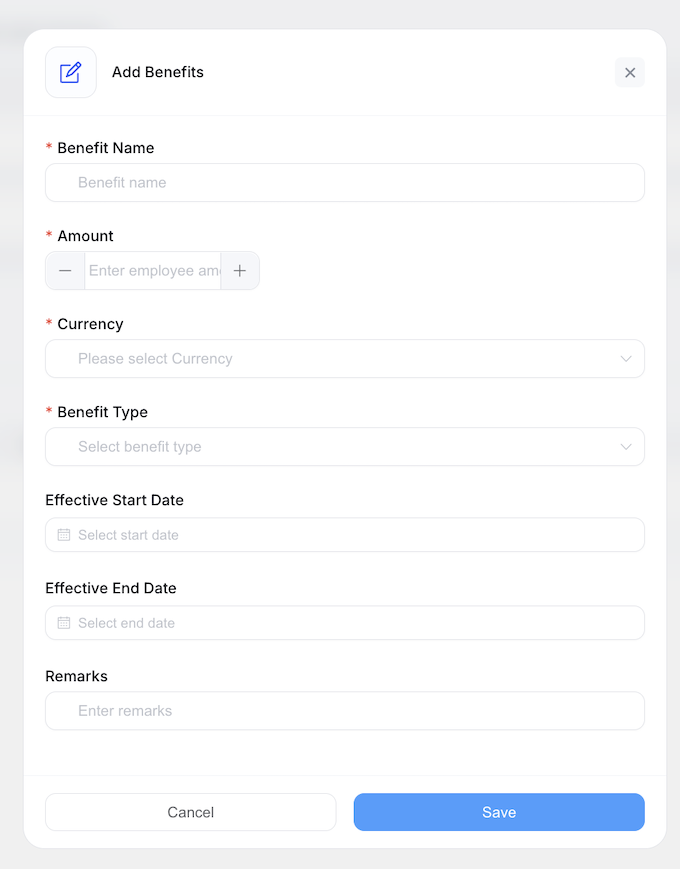
Select Add Benefit and complete the form:
| Field | Description |
|---|---|
| Benefit Name | The name employees will see |
| Amount | The value of the benefit |
| Currency | The currency the amount is in |
| Benefit Type | The category this benefit belongs to |
| Effective Start Date | When the benefit becomes available |
| Effective End Date | When the benefit ends |
| Remarks | Any additional notes |
Benefits you create are grouped by type in the Benefits Overview, and can be updated or deleted from the list.
Processing Applications
When an employee applies for a benefit, their application appears with a status of Pending.
To process one, select Approve/Reject on the application. The Benefit Detail dialog opens showing the application, with two actions:
- Approve - the application status becomes Approved
- Reject - the application status becomes Refuse
Application statuses
| Status | Meaning |
|---|---|
| Pending | Submitted and awaiting a decision |
| Approved | The application has been approved |
| Refuse | The application has been declined |
Employees can see these statuses on their own My Benefits page - see Employee Benefits.
Best Practices
- Create your benefit types before adding individual benefits
- Set effective start and end dates so benefits expire automatically rather than needing manual cleanup
- Process pending applications regularly so employees aren't left waiting