Document & Contracts
The Document & Contracts module provides a secure, centralized repository for managing personal and shared documents. This system enables employees and HR to upload, organize, share, and access important files with comprehensive version control and permission management.
My Documents
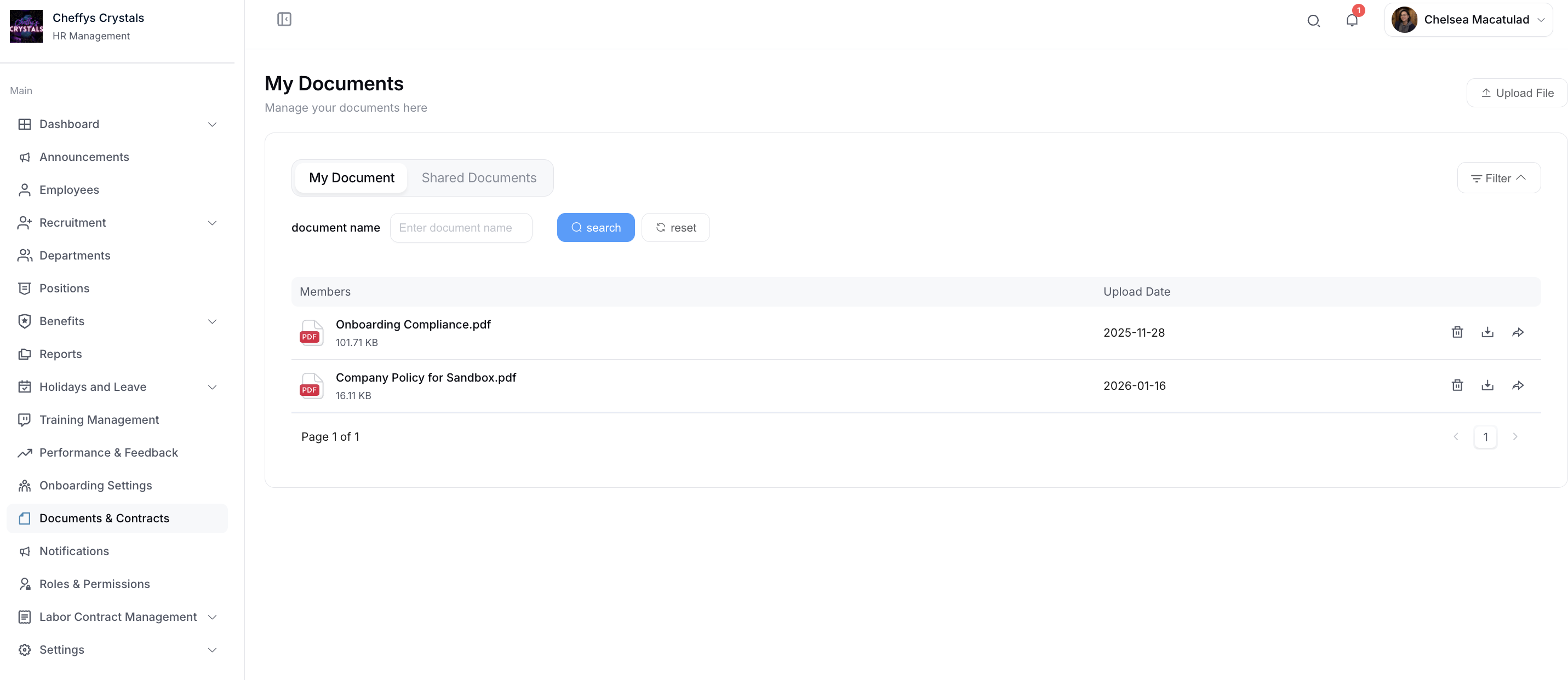
The My Documents page serves as your personal document management hub where you can organize and control all your files.
Uploading Files
Click the Upload File button to add new documents to your personal repository. The system supports a wide range of file formats and provides easy-to-use upload functionality.
Document List View
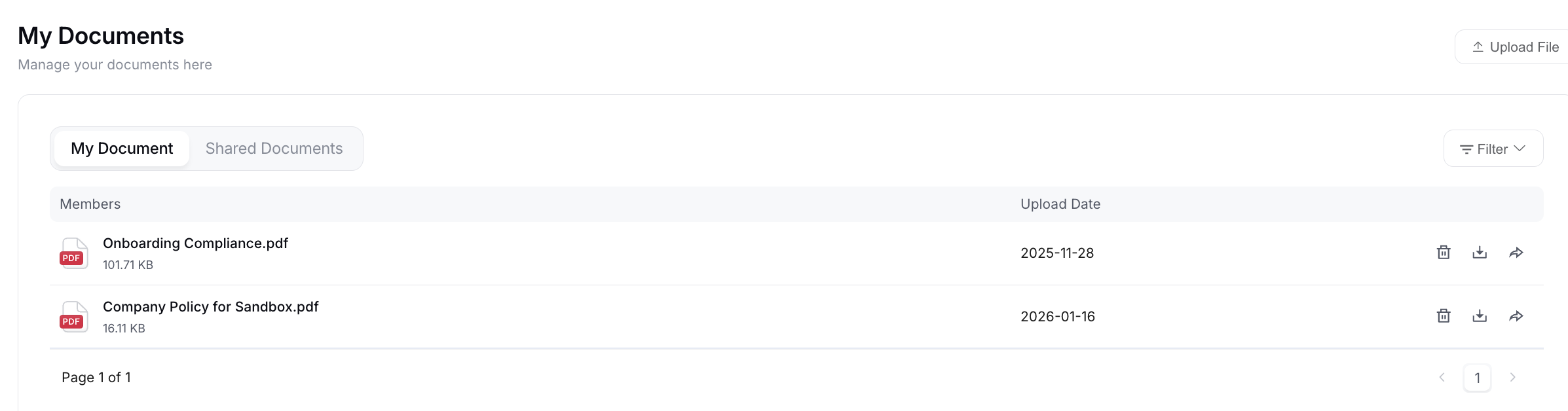
The My Document tab displays a comprehensive list of your personal files with the following information:
- File names and descriptions
- File sizes
- Upload dates and timestamps
- File type indicators
File Management Actions
Icons on the right side of each file entry allow you to perform quick actions:
- Delete: Remove files from your document library
- Download: Save files to your local device
- Share: Grant access to specific users or teams
Shared Documents
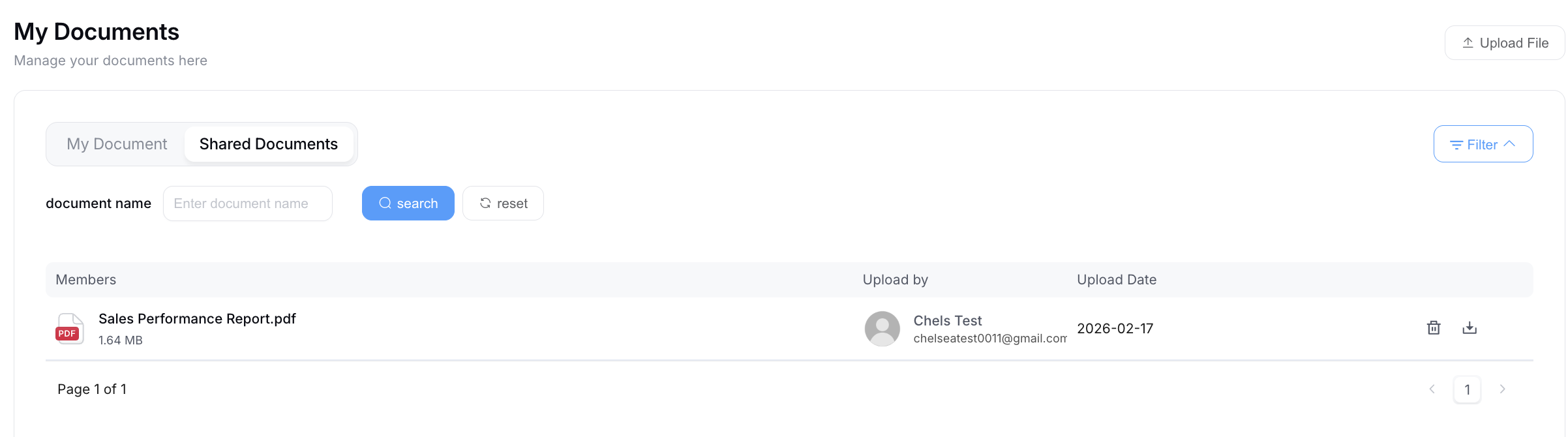
Switch to the Shared Documents tab to view all documents that others have shared with you. This provides easy access to collaborative files and team resources without cluttering your personal document space.
Document Upload
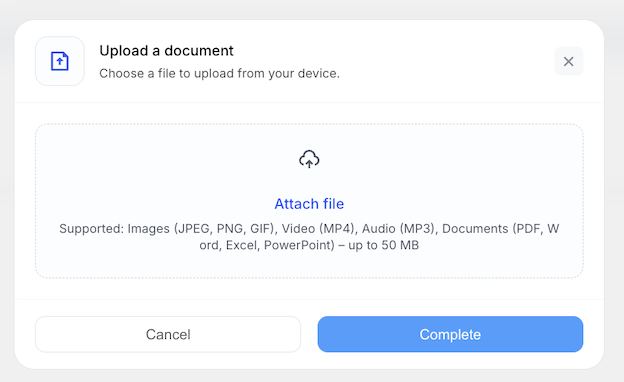
The Document Upload interface provides a streamlined file upload experience with support for multiple file formats.
Supported File Formats
The system accepts the following file types:
- Images: JPEG, PNG, GIF
- Videos: MP4
- Audio: MP3
- Documents: PDF, Word (.doc, .docx), Excel (.xls, .xlsx), PowerPoint (.ppt, .pptx)
File Size Limit
Maximum single-file size: 50MB
Upload Process
- Click the upload area or drag and drop files to select documents from your device
- Review the selected file information
- Click Complete to confirm and finalize the upload
- Click Cancel to abort the upload process
The system provides real-time upload progress indicators and validates file formats before processing.
Shared File
Share documents securely with colleagues and team members through the built-in sharing functionality.
Sharing Process
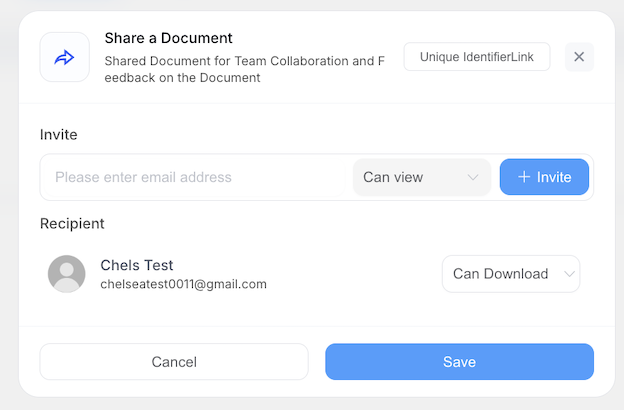
- Click the Share button next to any document in your file list
- Enter the email address of the person you want to share with in the recipient field
- Click Invite to add the recipient to the sharing list
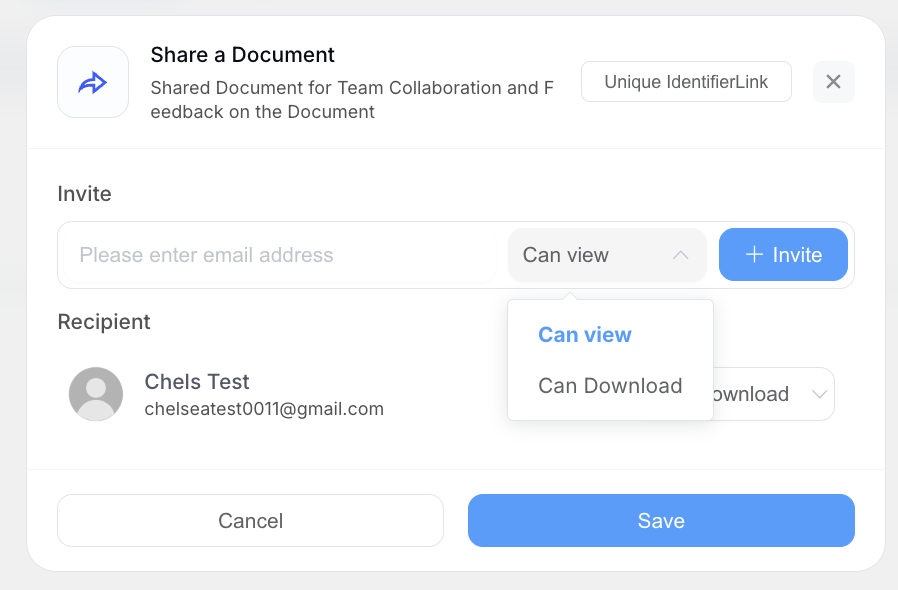
- Choose the file browsing type or permission level:
- View Only: Recipients can view but not edit or download
- Download: Recipients can view and download the file
- Edit: Recipients can modify the document (if applicable)
- Click Save to confirm and send the sharing invitation
Sharing Features
- Share with multiple recipients simultaneously
- Set different permission levels for different users
- Revoke access at any time
- Track who has access to your shared documents
- Receive notifications when shared files are accessed
This flexible sharing system ensures secure collaboration while maintaining control over your sensitive documents.