Employee Offboarding
The Employee Offboarding module provides a structured, step-by-step process for managing employee resignations and terminations. The system automates key parts of the offboarding workflow, including creating targets and tasks to ensure all necessary actions are completed before an employee's departure.
Step 1 - Initiate Offboarding
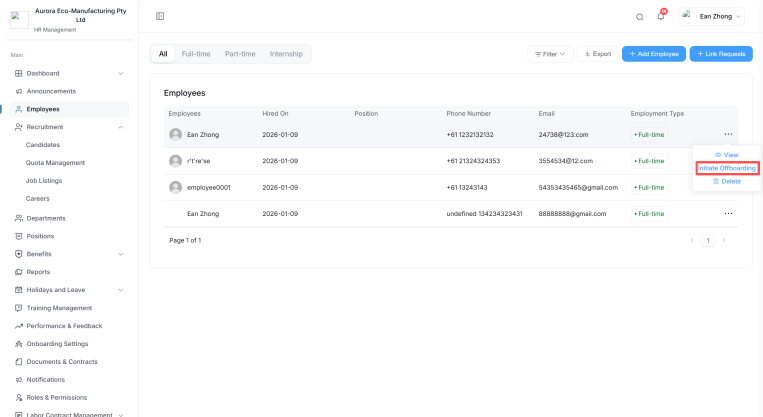
The first step in the offboarding process is to initiate the resignation or termination from the employee's profile.
How to Initiate
- Open Employees and find the departing employee.
- Select Initiate Offboarding on their row.
Initiate Offboarding only appears for employees whose status is Active.
Step 2 - Fill in Details for Offboarding
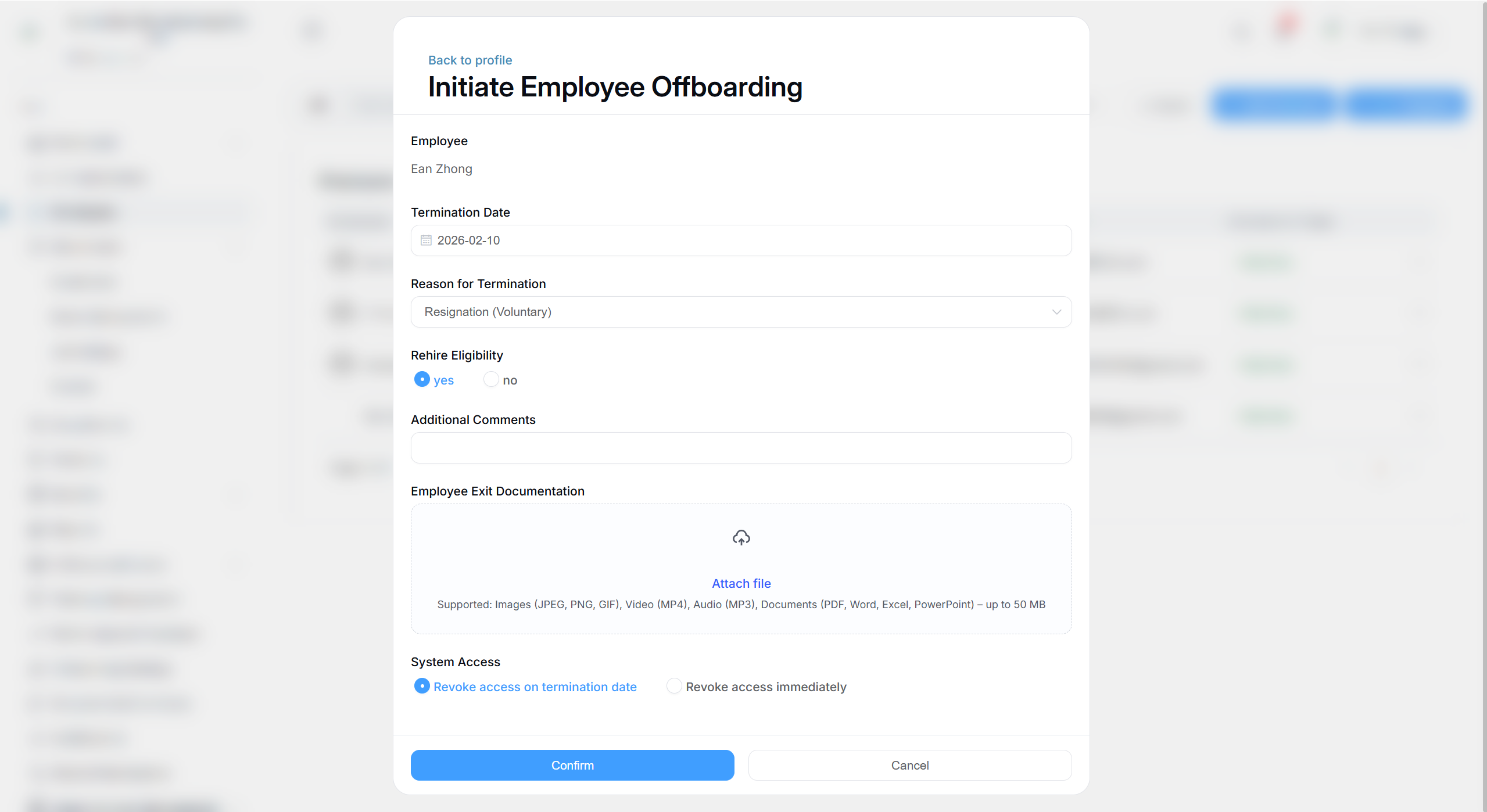
Complete the offboarding form:
| Field | Description |
|---|---|
| Employee | The employee being offboarded (shown for confirmation) |
| Termination Date | Their final day |
| Reason for Termination | Select one of the five reasons below |
| Rehire Eligibility | Whether the employee may be rehired in future - yes or no |
Reason for Termination
Choose from:
- Resignation (Voluntary)
- Termination (Involuntary)
- Redundancy
- Retirement
- End of Contract
Confirmation
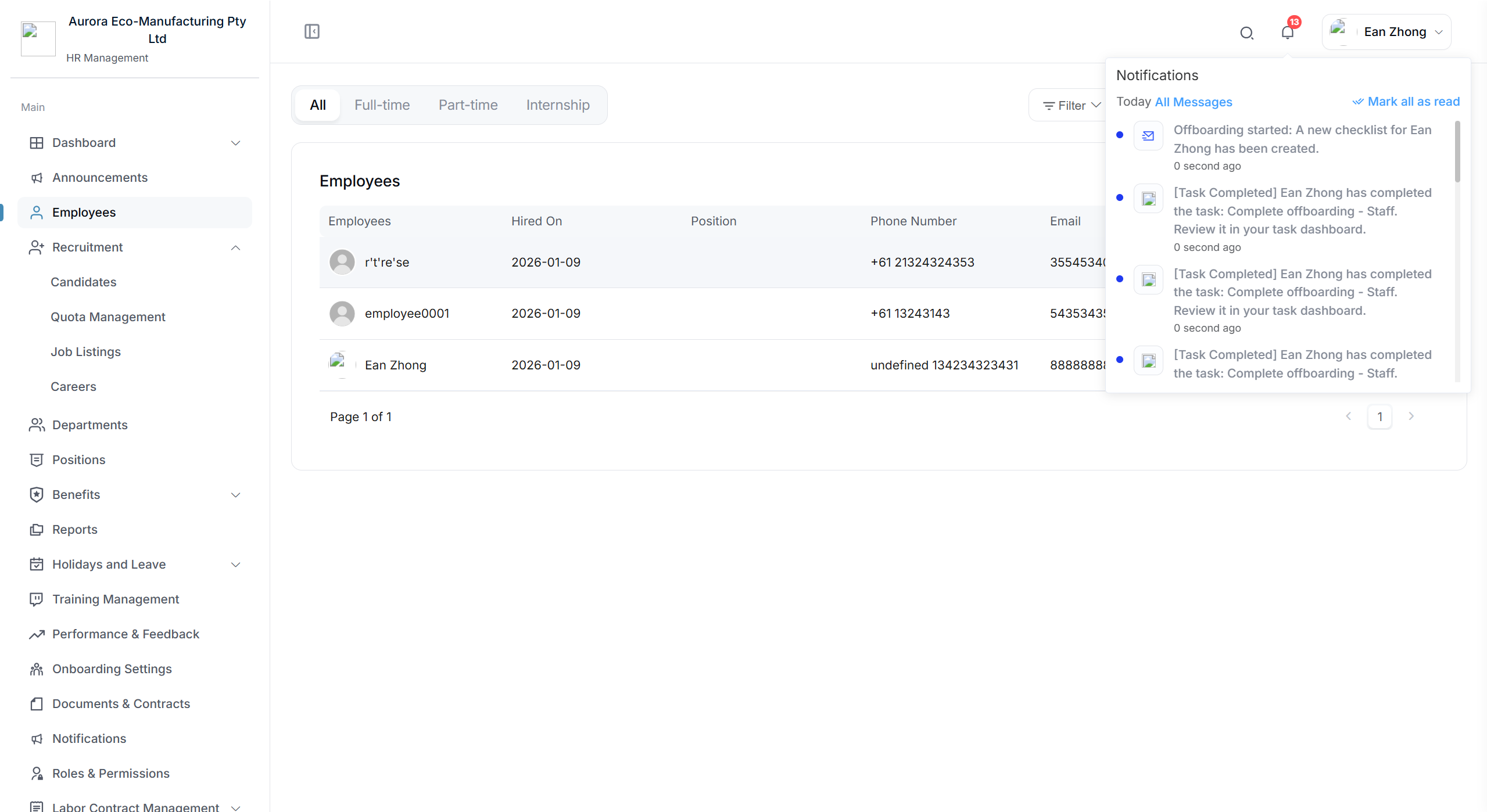
Once submitted, the employee's status changes to Offboarding In Progress, and to Resigned on the termination date.
Reversing an offboarding
If offboarding was started in error:
- While the employee is Offboarding In Progress, select Cancel Offboarding on their row.
- Once they've moved to Resigned, select Restore to reactivate their record.
You can also select Resignation Info on a resigned employee to review the details that were recorded.
Step 3 - Auto Create Target for Complete Offboarding
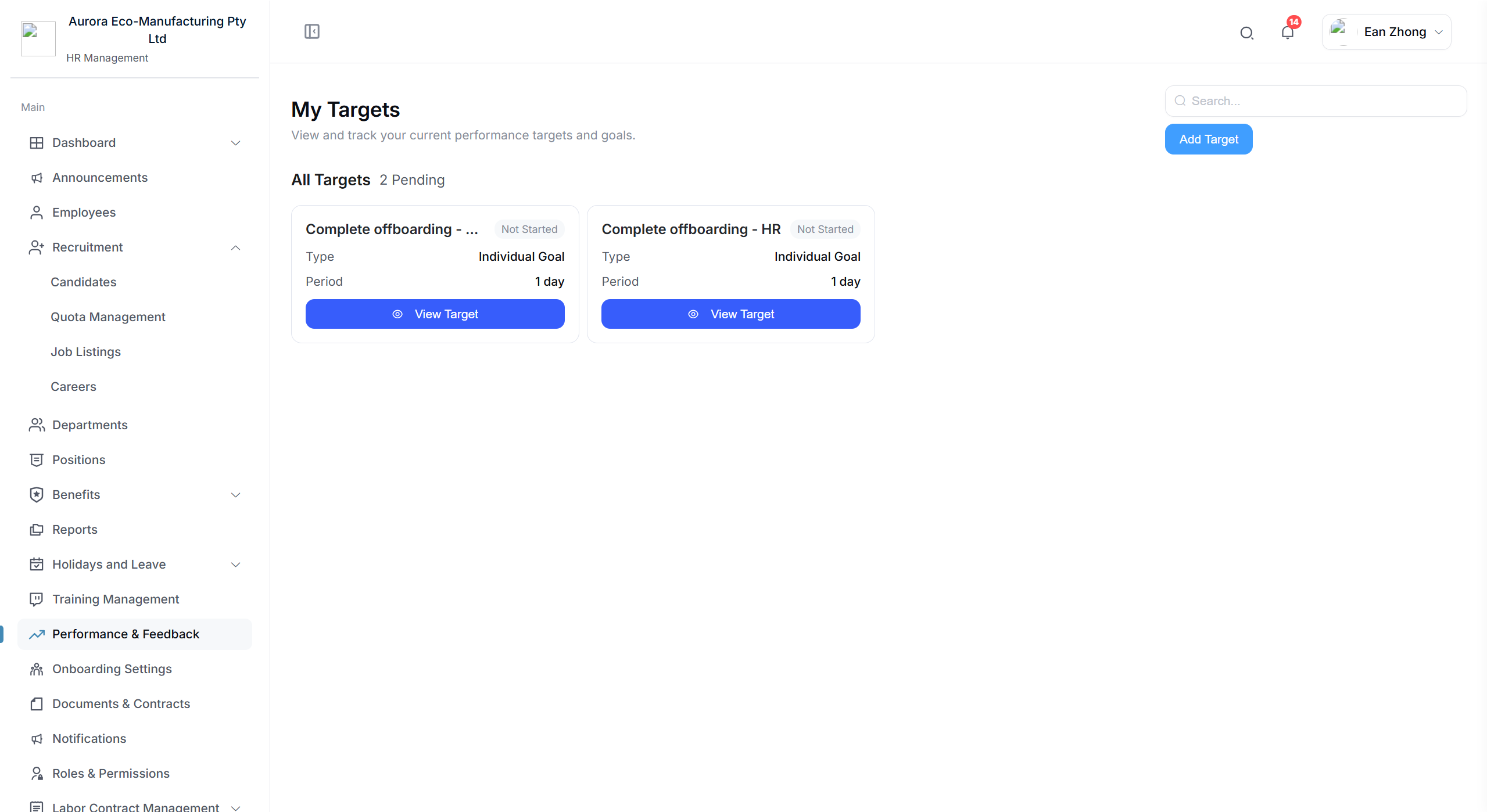
After the offboarding details are submitted, the system automatically creates a target to track the completion of the offboarding process.
How It Works
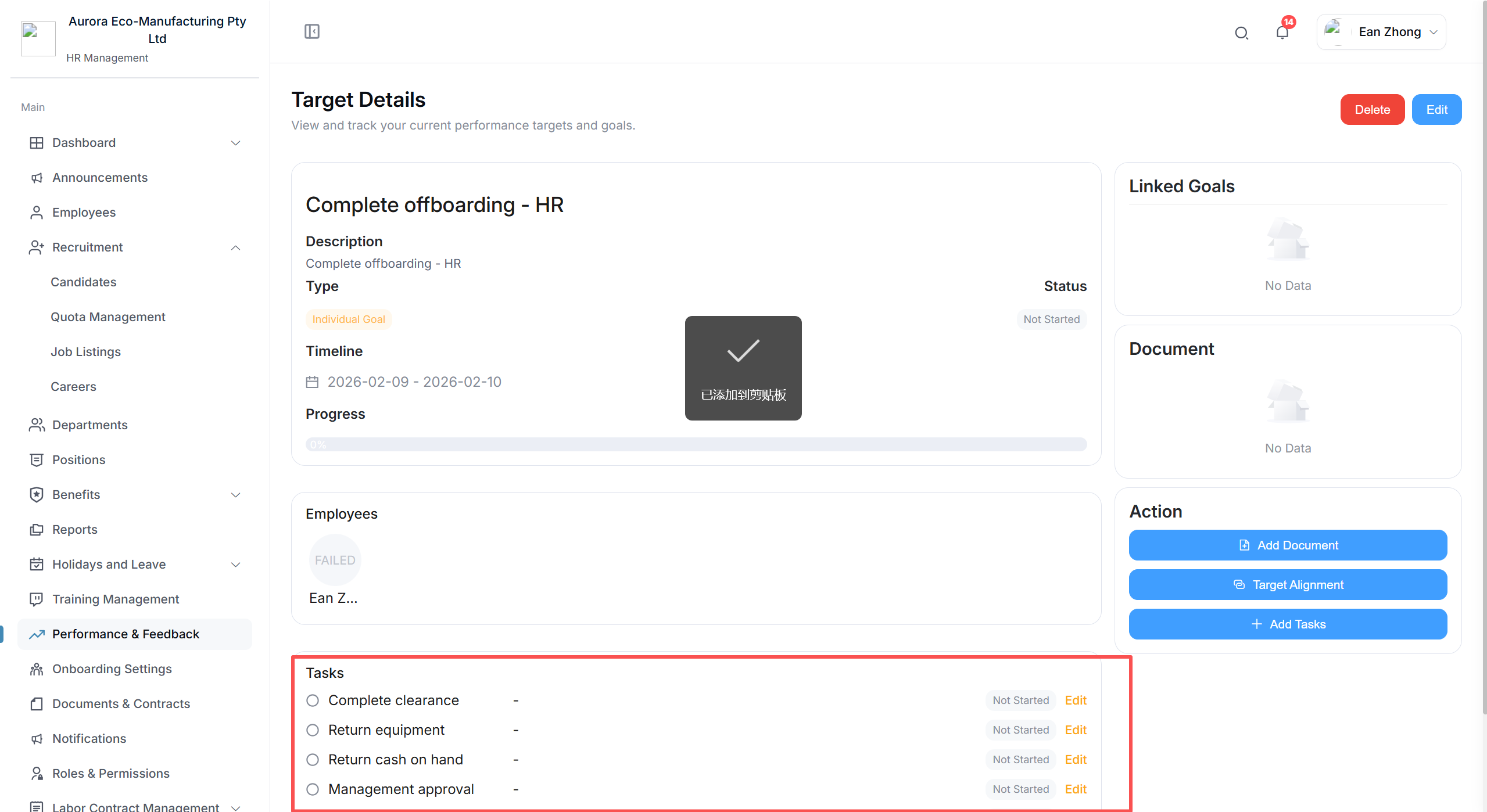
The resignation process will create a target, which you can view here.
What the system does automatically:
- ✅ Creates an offboarding completion target in the system
- 📋 Assigns the target to the relevant HR administrator
- 🔔 Sends notifications to stakeholders involved in the offboarding
- 📅 Sets a timeline based on the employee's last working date
Step 4 - Auto Create Tasks Under "Complete Offboarding"
The system further breaks down the offboarding target into individual tasks that need to be completed.
Automated Task Creation
The system generates a checklist of tasks under the "Complete Offboarding" target to ensure nothing is missed.
Typical offboarding tasks may include:
- IT & Access: Revoke system access, collect devices and equipment
- Finance: Process final pay, outstanding leave, and superannuation
- Administration: Update employee records, archive documents
- Knowledge Transfer: Ensure handover of responsibilities and documentation
- Exit Process: Conduct exit interview, collect company property, return ID/access cards
Tips for Smooth Offboarding
- Start Early: Initiate the offboarding process as soon as the resignation or termination is confirmed
- Track Progress: Monitor the offboarding target and tasks regularly to ensure timely completion
- Communicate: Keep relevant departments informed (IT, Finance, the employee's team)
- Document Everything: Maintain thorough records of the offboarding process for compliance
- Be Thorough: Ensure all tasks are completed before the employee's last day