Policy Management
Policy Management is where you upload company policies, choose who needs to read them, and track who has acknowledged them. Employees see the policies assigned to them under My Policies.
Overview
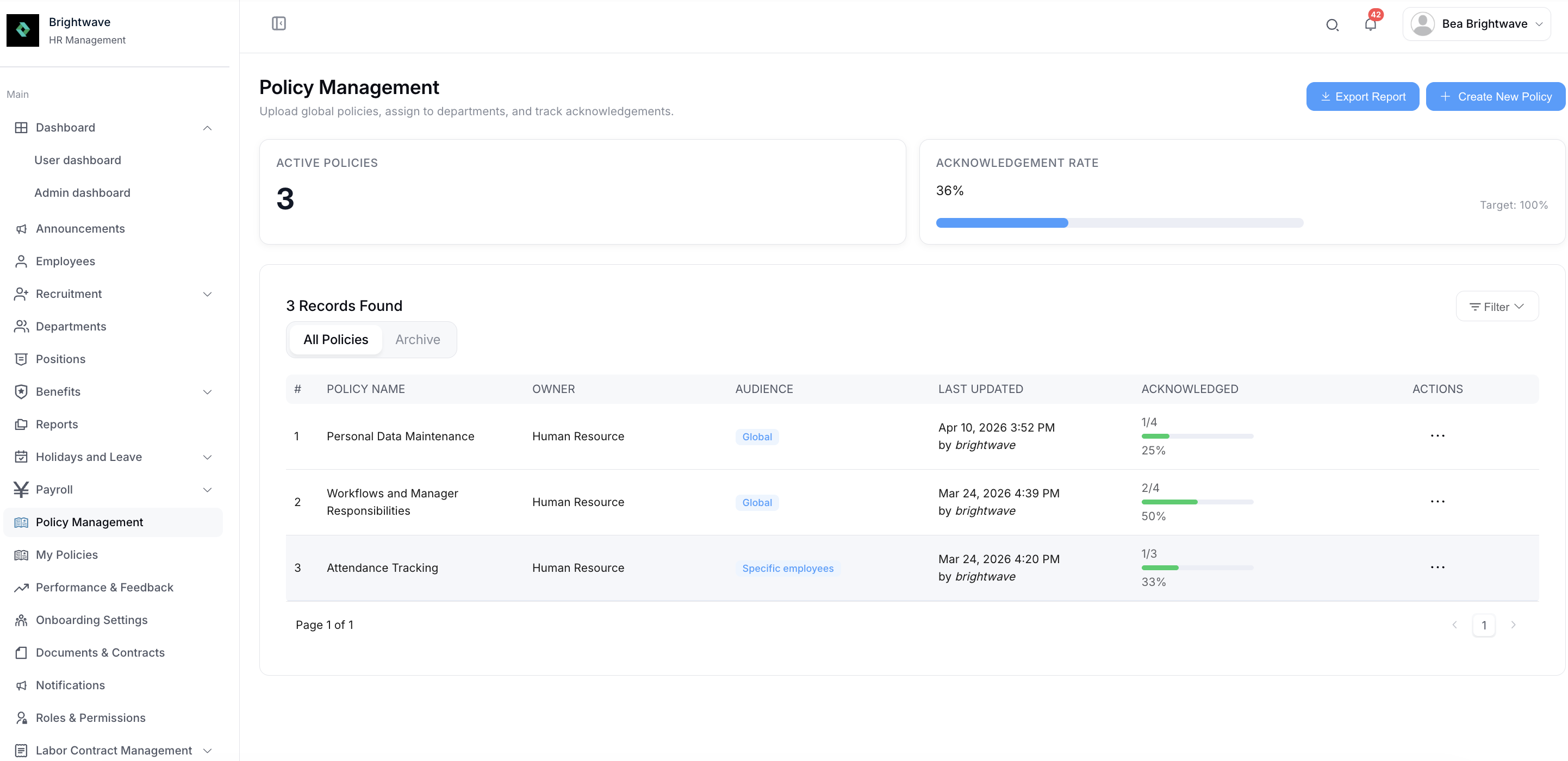
The page opens on two tabs:
- Active - policies currently in force
- Archived - policies you've retired
Two summary cards sit at the top:
- ACTIVE POLICIES - how many policies are currently active
- ACKNOWLEDGEMENT RATE - the proportion of assigned policies that have been acknowledged
The policy list shows AUDIENCE, LAST UPDATED, and ACKNOWLEDGED for each policy, along with the actions available.
You can filter the list by POLICY NAME or Audience, and select Export Report to download the list.
Create a Policy
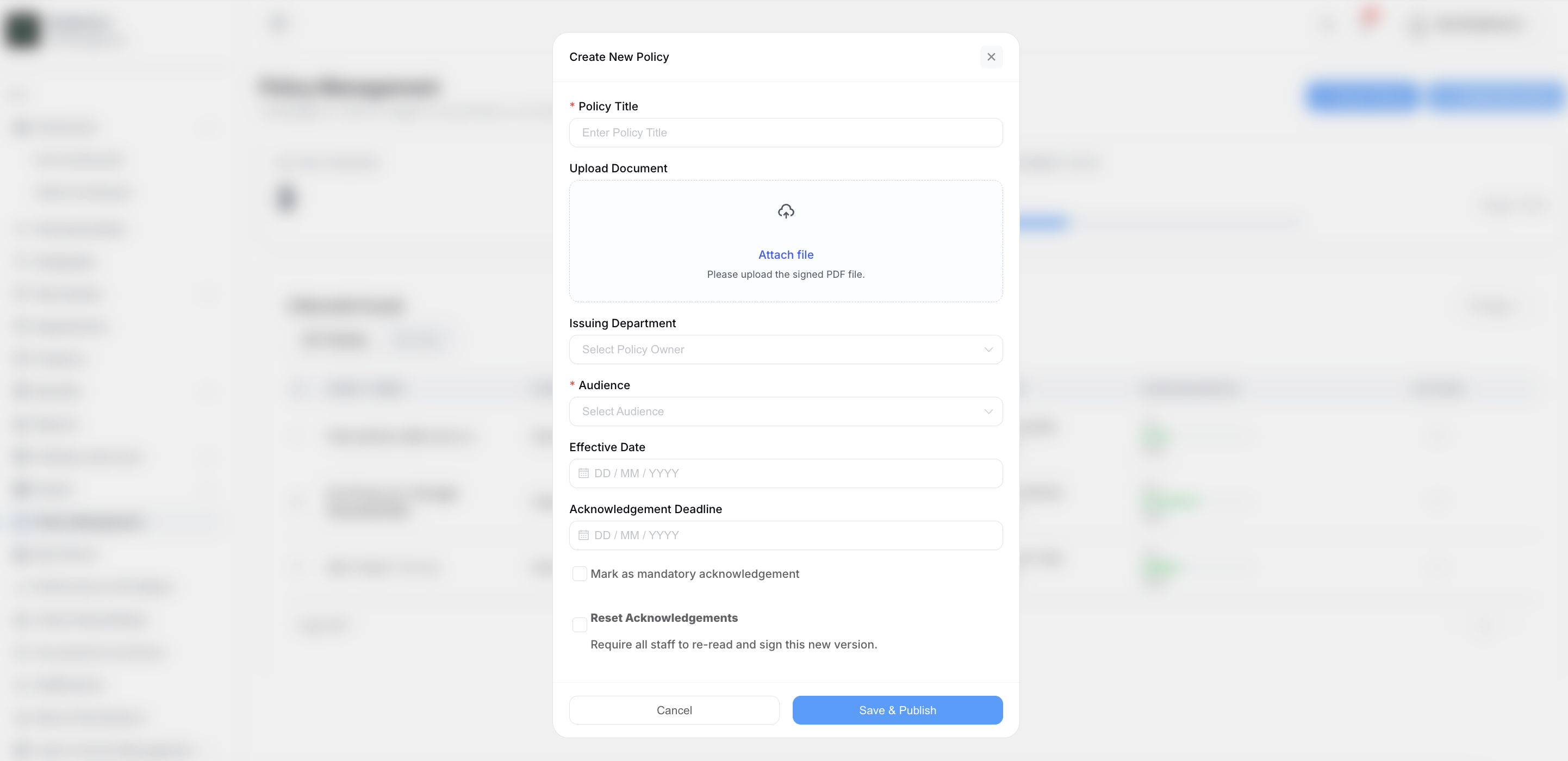
Select Create New Policy and complete the form:
| Field | Description |
|---|---|
| Policy Title | The name employees will see |
| Upload Document | The policy file |
| Issuing Department | The department publishing the policy |
| Audience | Who the policy is assigned to |
| Effective Date | When the policy takes effect |
Choosing an audience
The Audience setting controls who the policy is assigned to. Depending on your choice, an additional field appears:
- Assign to specific departments - Select Depts appears, where you choose the departments
- Assign to specific people - Select Employees appears, where you choose the individuals
Assigning to departments keeps policies current as people join and leave. Use specific employees when a policy genuinely applies to named individuals only.
Tracking Acknowledgements
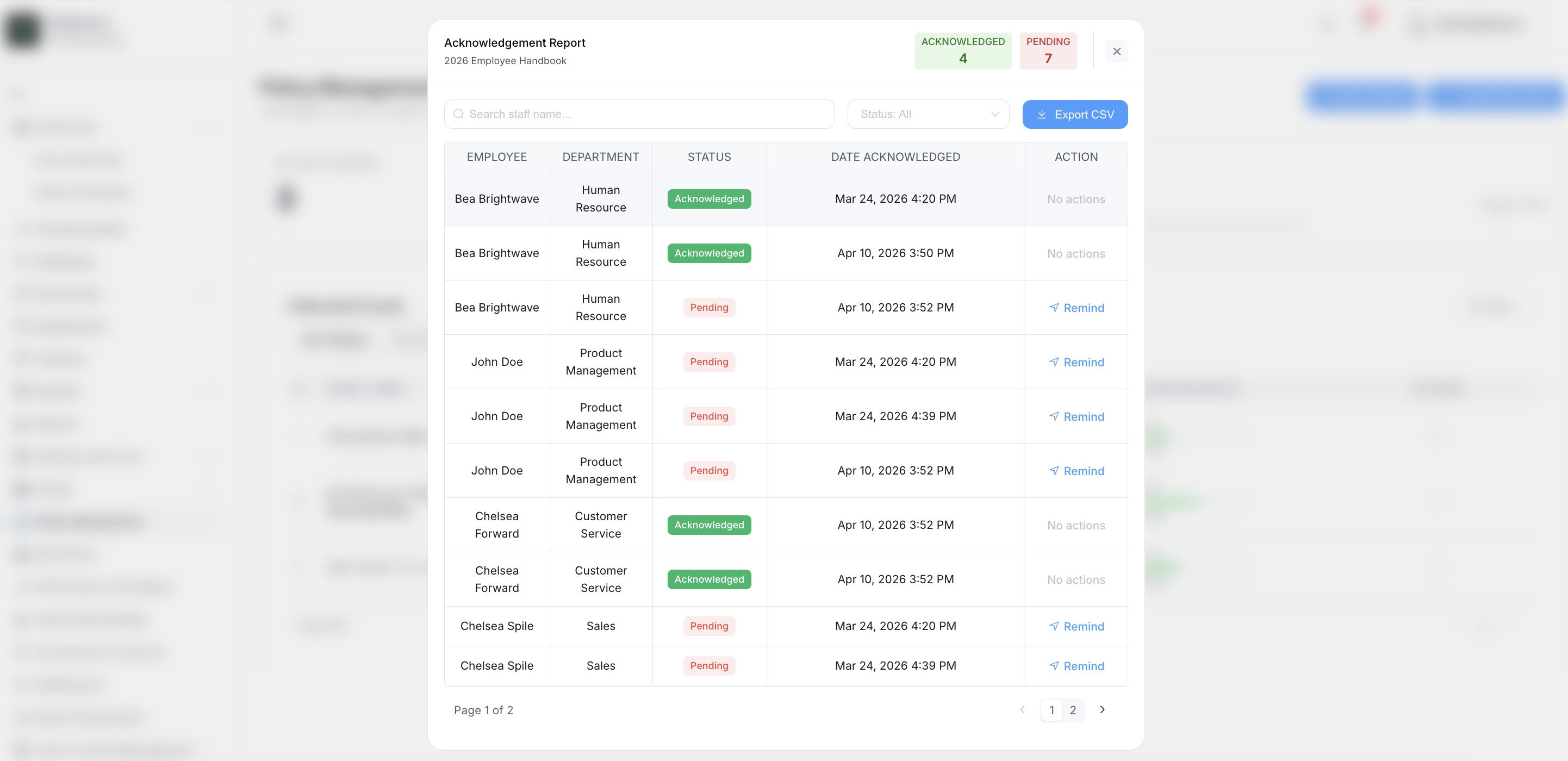
The ACKNOWLEDGED column shows acknowledgement progress at a glance. For the detail, open the Acknowledgement Report on a policy.
The report lists the employees the policy is assigned to and whether they've acknowledged it. Filter by:
- All
- Pending - assigned but not yet acknowledged
- Acknowledged
Select Export CSV to download the report.
Archiving a Policy
When a policy no longer applies, archive it. It moves out of the Active tab and into Archived, where it remains available for reference.
Best Practices
- Set an effective date so employees know when the policy applies from
- Assign by department wherever possible, so new starters pick up the policy automatically
- Check the Pending filter in the Acknowledgement Report to see who still needs to read the policy
- Archive superseded policies rather than deleting them, so you keep the record