Announcements (Admin)
The Announcements section allows administrators to create, manage, and track all company-wide communications in one centralized location.
Admins can view all previously published announcements and perform actions such as marking announcements as read, editing, or deleting them as needed.
Manage Announcements
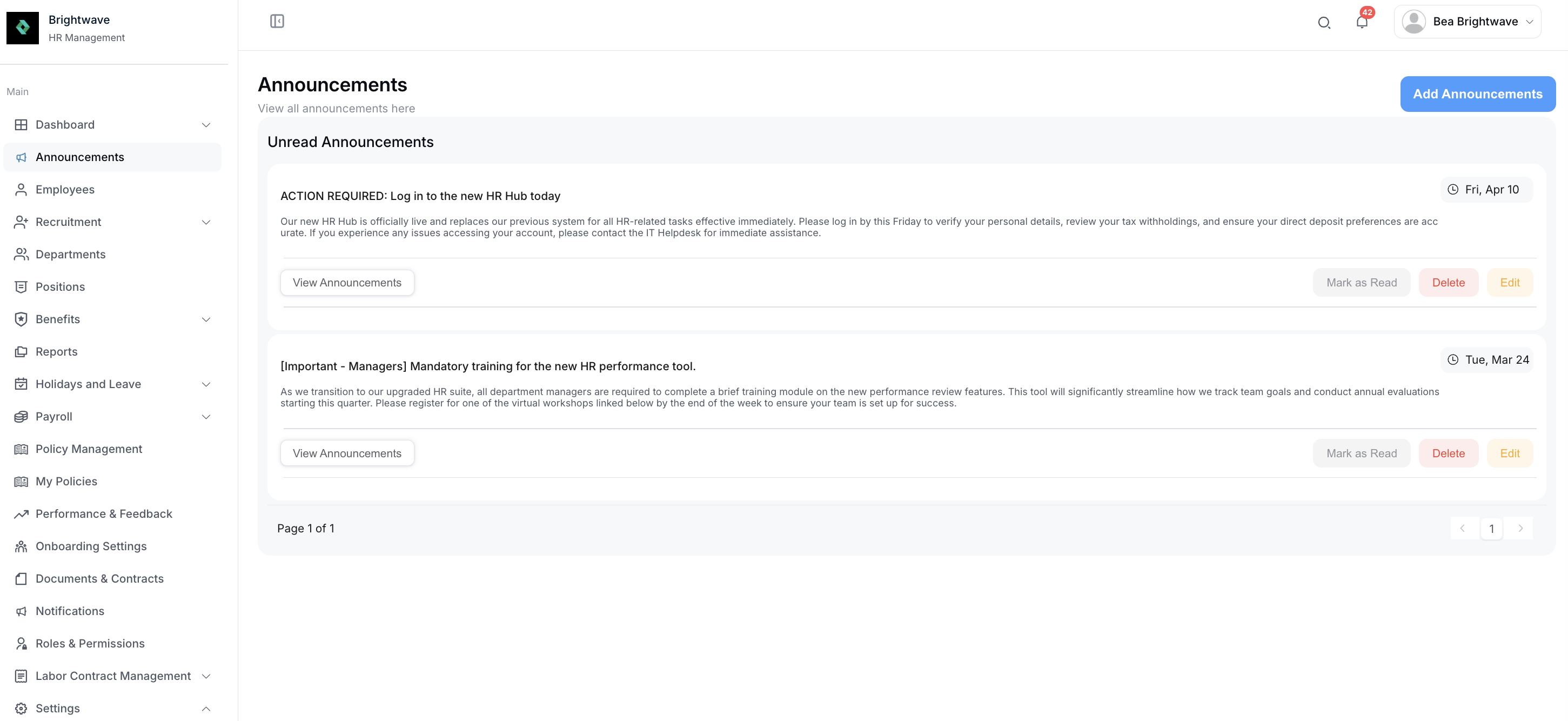
From this section, you can:
- View All Announcements: Access a complete list of past and active announcements
- Mark as Read: Update the read status for tracking purposes
- Edit: Modify existing announcements to update information Delete: Remove announcements that are no longer relevant
Add an Announcement
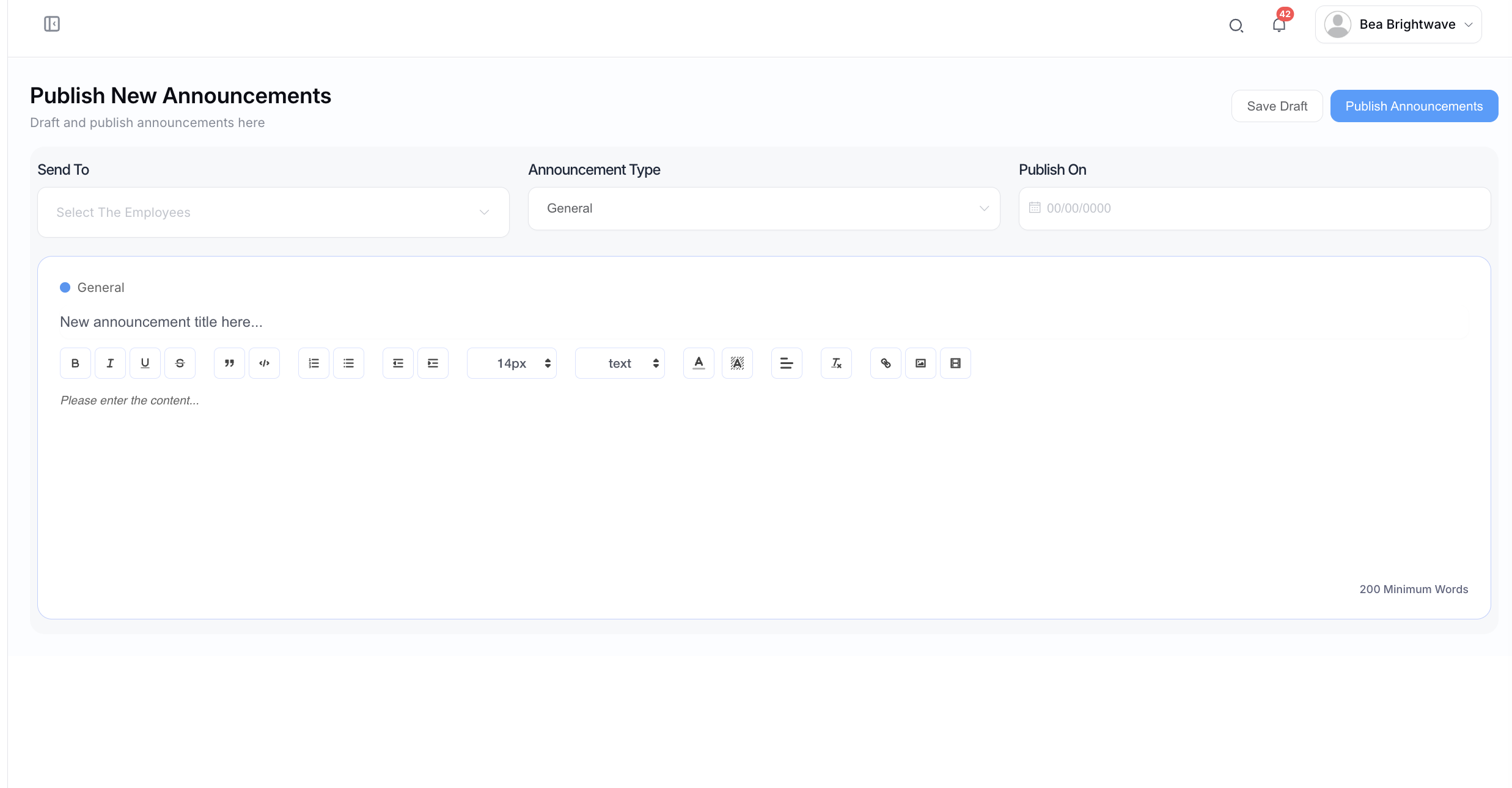
Click the Add Announcement button to create a new announcement.
When creating an announcement, you can configure the following:
- Recipients: Select specific employees, groups, or departments
- Type: Define the category (e.g. Event, General Notice)
- Title: Provide a clear and concise announcement title
- Publish Date: Set when the announcement will be released
- Content/Body: Enter the full message or details of the announcement
This ensures that communications are targeted, timely, and relevant to the intended audience.