Departments
The Departments module allows you to organize your company structure by creating and managing different departments.
Manage Departments
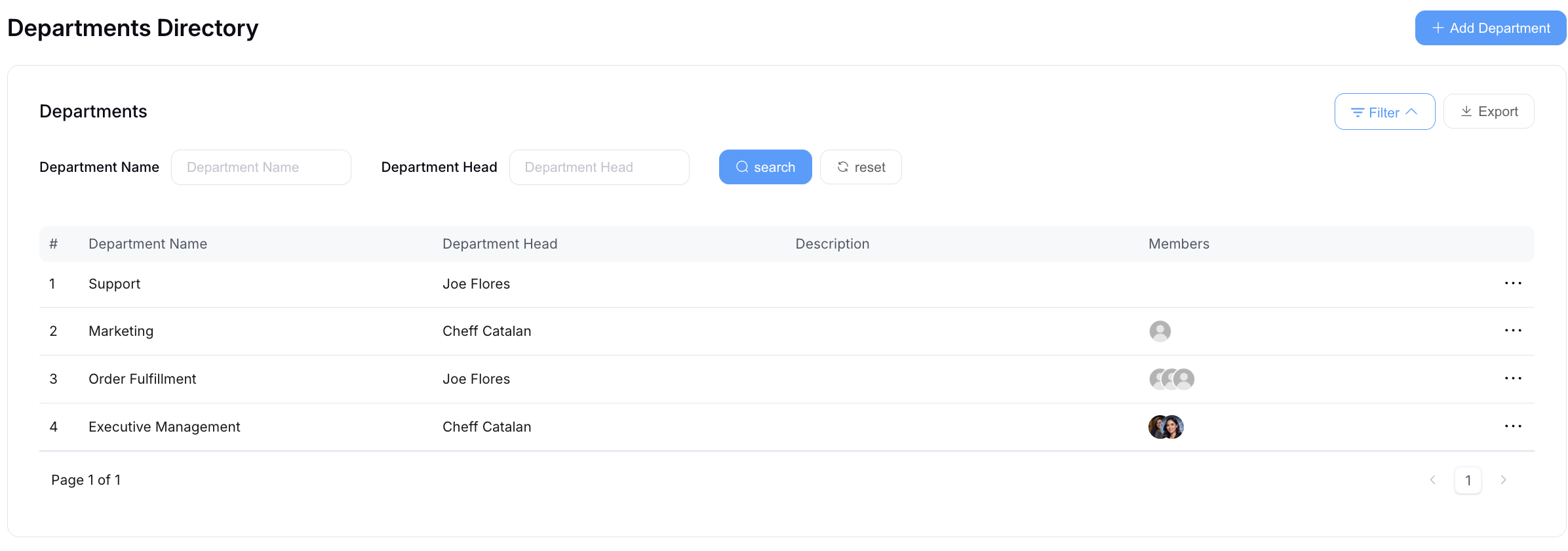
On the Departments Directory interface, you can:
- Select Add Department to create a new department.
- Search for a specific department.
- Select Export to download the department list.
- Use the menu at the end of a department row to View, Update, or Delete it.
The list shows each department's Department Name, Department Head, Description, and Members.
tip
Departments feed into the Org Chart, reporting lines, and policy assignment - so it's worth setting department heads correctly early.
Add Department
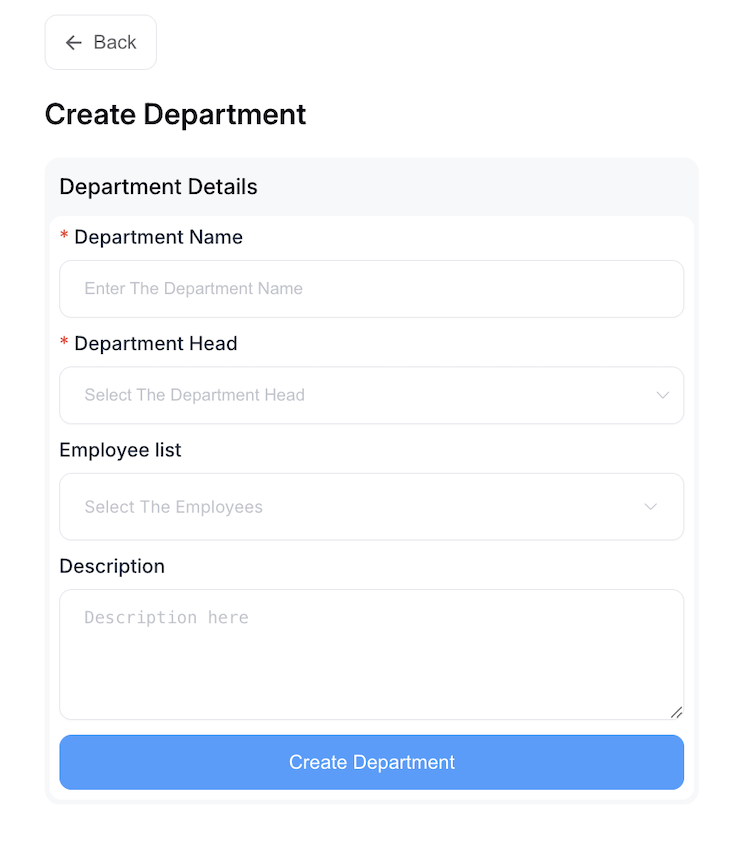
On the Create Department page, fill in the required information:
- Department Name (Required)
- Department Head (Required)
- Employee list (Optional)
- Description (Optional)
Click the Create Department button to set up the new department.