Contract Management
Labor Contract Management covers the templates you issue contracts from, and the tracking of contracts as they expire and are renewed.
Signing a contract for an individual employee is done from their profile - see Employee Management.
Contract Template
Templates are the documents you generate employee contracts from.
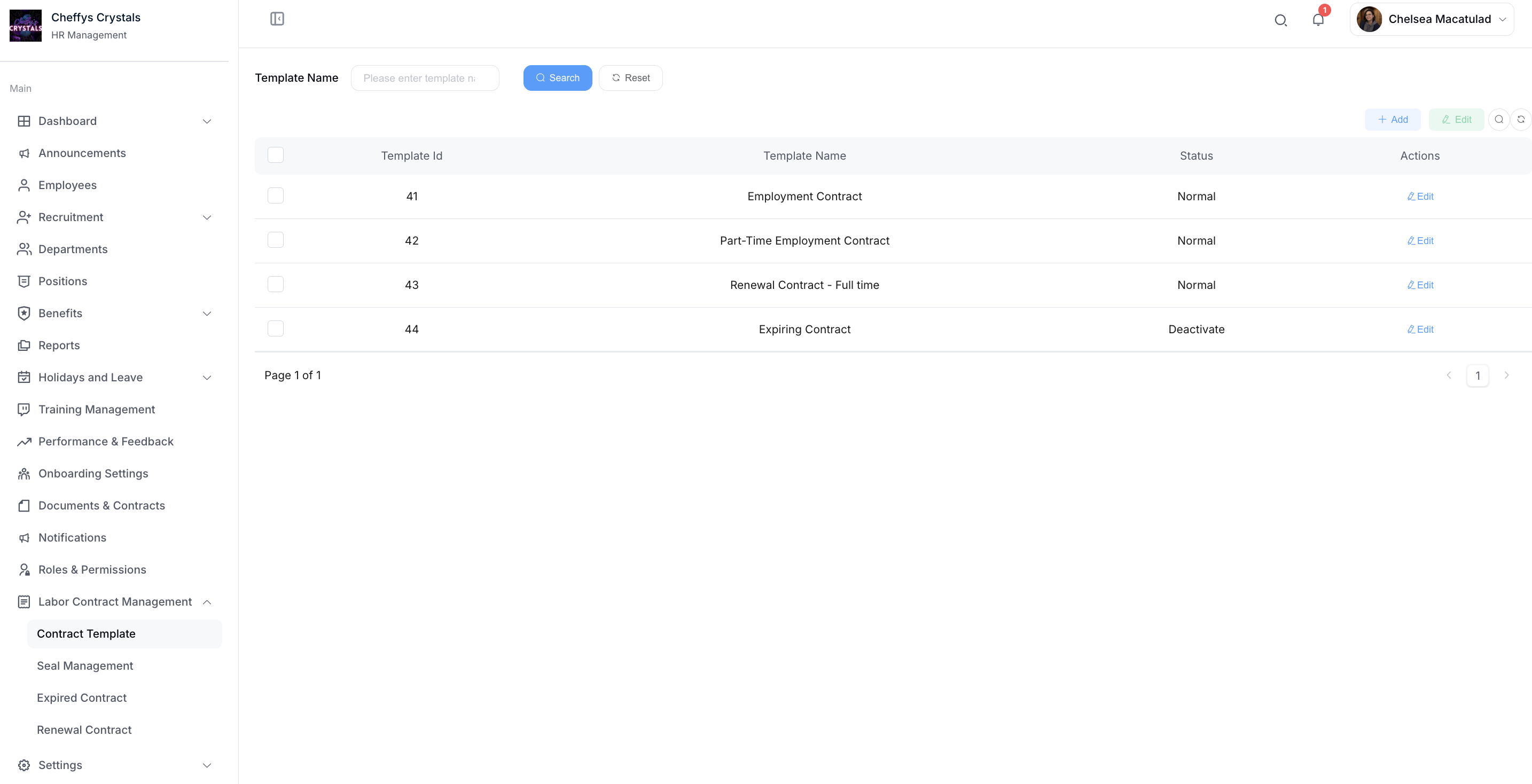
Template list
The list shows each template with its name and status, and lets you search by Template Name.
Adding a template
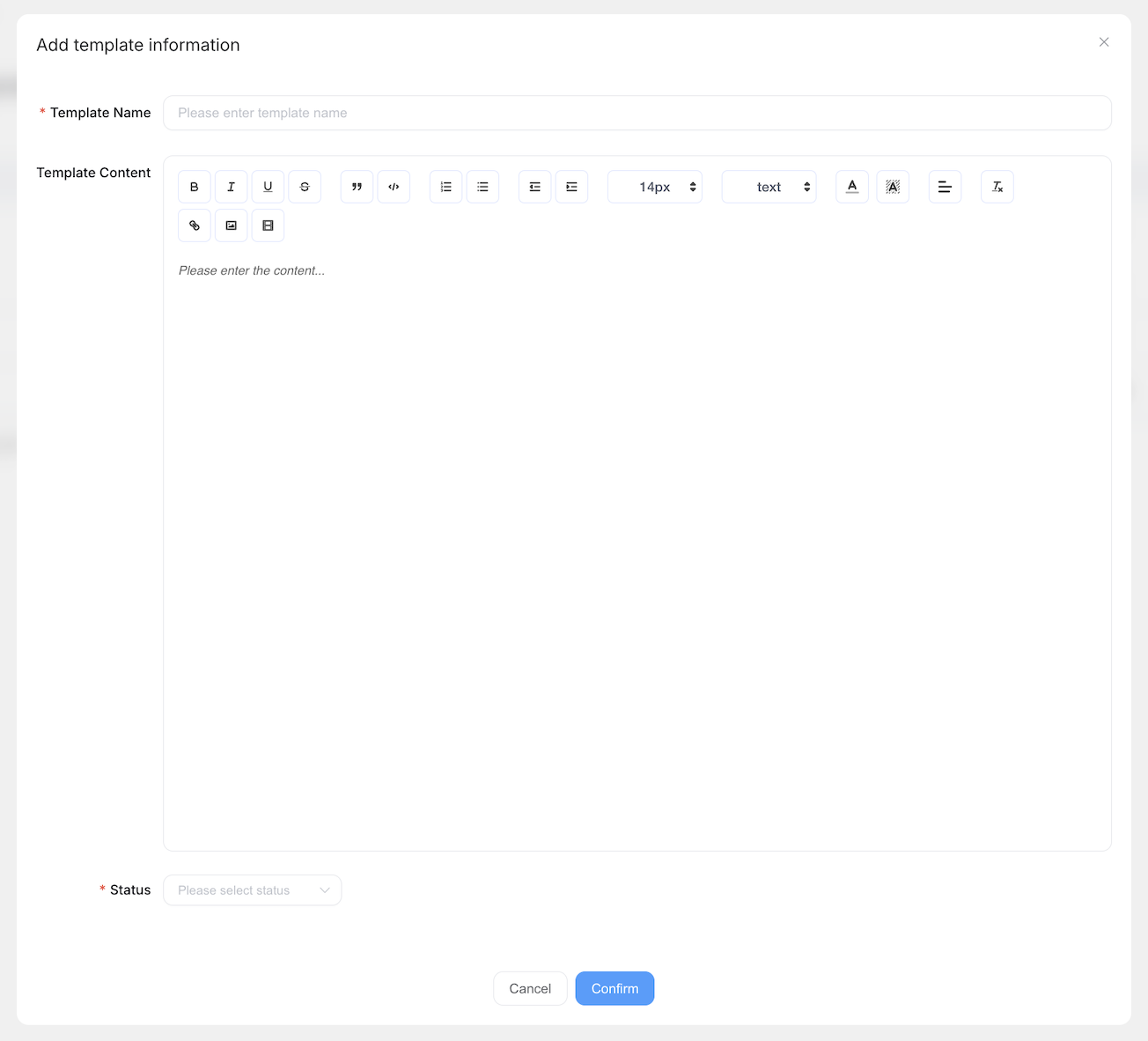
Select Add and complete:
| Field | Description |
|---|---|
| Template Name | The name you'll select when issuing a contract |
| Template Content | The body of the contract |
| Status | Normal to make it available, or Deactivate to take it out of use |
Editing a template
Open an existing template to change its name, content, or status. Deactivating a template leaves existing contracts untouched - it only stops the template being used for new ones.
If the template will be sent for electronic signature, its content must include the four signature tags described in E-signature Setup. Templates that are only printed and signed on paper need nothing extra.
Expired Contract
Expired Contract lists contracts that have reached their expiry date, so you can act on them before they lapse.
Each row shows:
- Employee Name
- Position
- Company Name
- Contract Name
- Expiration Date
- Sign Type
- Renewal
Select Renewal on a contract to start renewing it.
Renewal Contract
Renewal Contract lists contracts that have been renewed, giving you the history of each renewal.
Each row shows:
- Employee Name
- Position
- Company Name
- Contract Name
- Renewal Date
- Sign Type
Electronic signing
Electronic signing is handled through a connected signature platform. Setting this up is a one-time job - see E-signature Setup for the full procedure, including getting a PandaDoc API key and adding signature tags to your templates.
Related settings live alongside contract management:
- E-signature Management - business identity verification
- Seal Management - company seals applied to contracts
- Sign Config - the signature platform connection, also editable from Company Settings
PandaDoc and DocuSeal are the only signature platforms with a completed integration. Other platforms may be listed in the Platform dropdown, but selecting one and attempting to send a contract for signing returns an error asking you to select PandaDoc instead.
Best Practices
- Keep a small set of well-maintained templates rather than many near-duplicates
- Deactivate templates you no longer issue instead of deleting them, so existing contracts keep their reference
- Check Expired Contract regularly so renewals are actioned before contracts lapse