Company Settings
The Company Settings module provides comprehensive administrative controls for configuring organizational policies, work schedules, security parameters, and system integrations. This centralized hub allows administrators to customize the HRMS platform to align with company-specific requirements and operational standards.
Company Profile
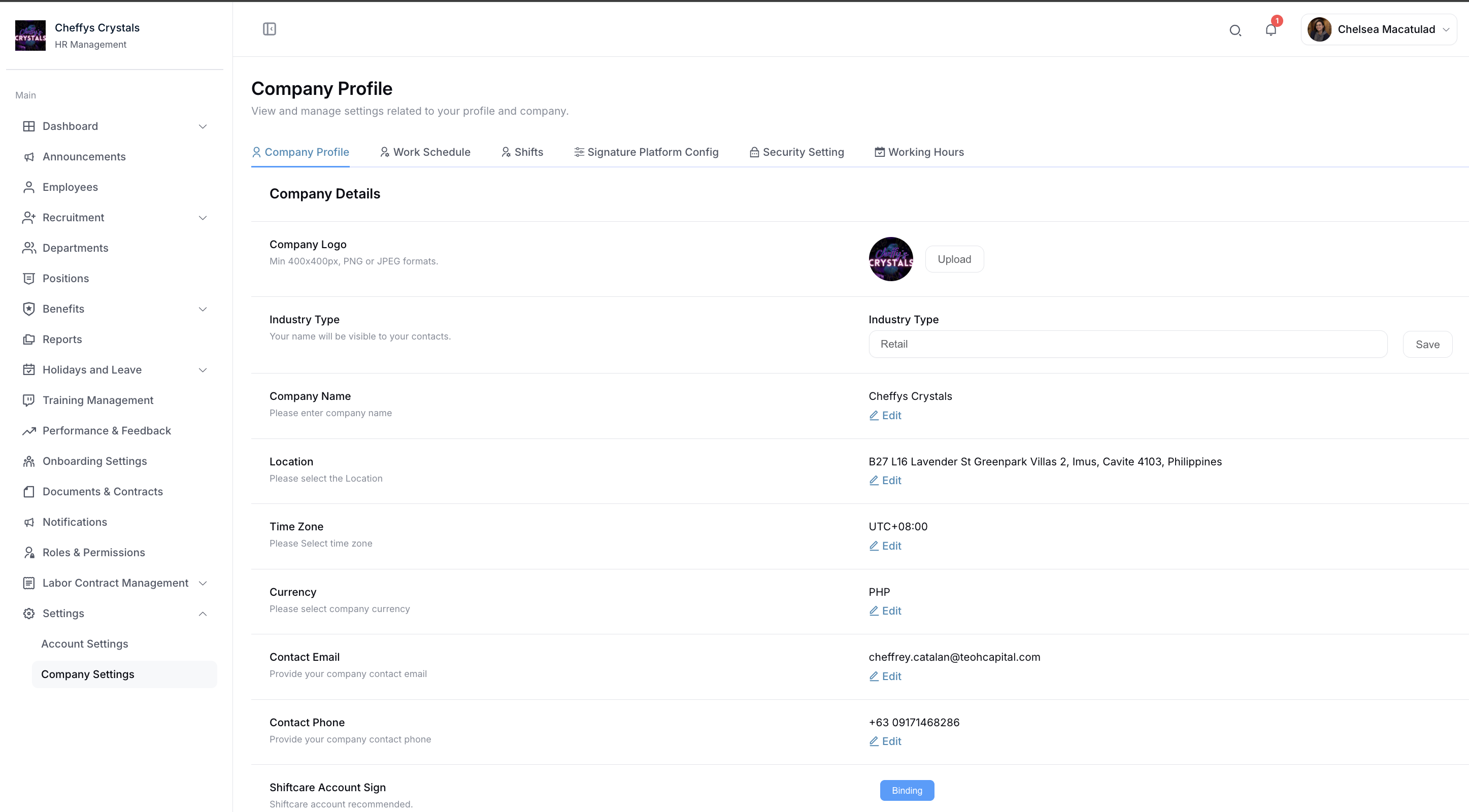
Edit and maintain essential company information to ensure accurate representation across the system. The company profile includes:
- Company Logo: Upload and update your organization's logo for branding consistency
- Company Name: Official registered business name
- Business Address: Physical location and mailing address
- Contact Information: Phone numbers, email addresses, and website
- Registration Details: Business registration numbers and tax identification
- Industry and Company Size: Organizational classification and employee count
This information appears throughout the system and on official documents, ensuring professional and consistent company representation.
Work Schedule
Configure the company's default working schedule that applies to all employees unless individual exceptions are specified. Settings include:
- Standard working days (e.g., Monday through Friday)
- Default work hours and break times
- Weekend configuration
- Holiday schedules
- Flexible work arrangements
The default work schedule serves as the baseline for attendance tracking, overtime calculations, and leave management across the organization.
Shifts
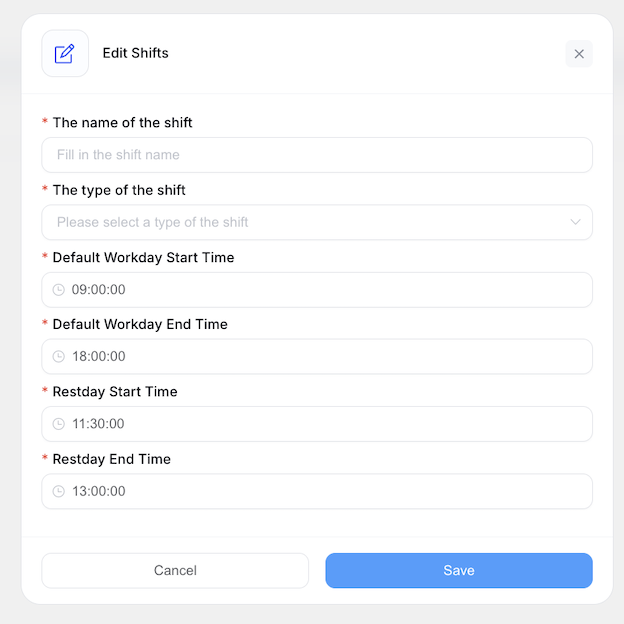
HR can create and manage comprehensive shift schedules to accommodate various work arrangements. The shift management system supports both monthly and weekly scheduling patterns.
Shift Configuration
Each shift includes the following parameters:
- Work Start Time: When the shift begins
- Work End Time: When the shift concludes
- Break Start Time: Beginning of the designated break period
- Break End Time: End of the break period
- Paid Leave Days: Number of paid leave days allocated for this shift type
Scheduling Options
- Monthly Scheduling: Plan and assign shifts for the entire month in advance
- Weekly Scheduling: Create recurring weekly shift patterns for regular rotations
This flexible system accommodates various operational needs, including rotating shifts, night shifts, split shifts, and compressed workweeks.
Signature Platform Config
The Signature Platform Config tab holds your electronic signature platform connection, used to send employment contracts for signature. Each row shows the Platform, its saved Config settings, and Status, with Add Config, Update, and Delete actions.
Setting this up takes a PandaDoc API key and signature tags in your contract templates - see E-signature Setup for the full procedure.
Security Settings
Establish and enforce robust security policies to protect sensitive employee and company data. Configure the following security parameters:
Password Requirements
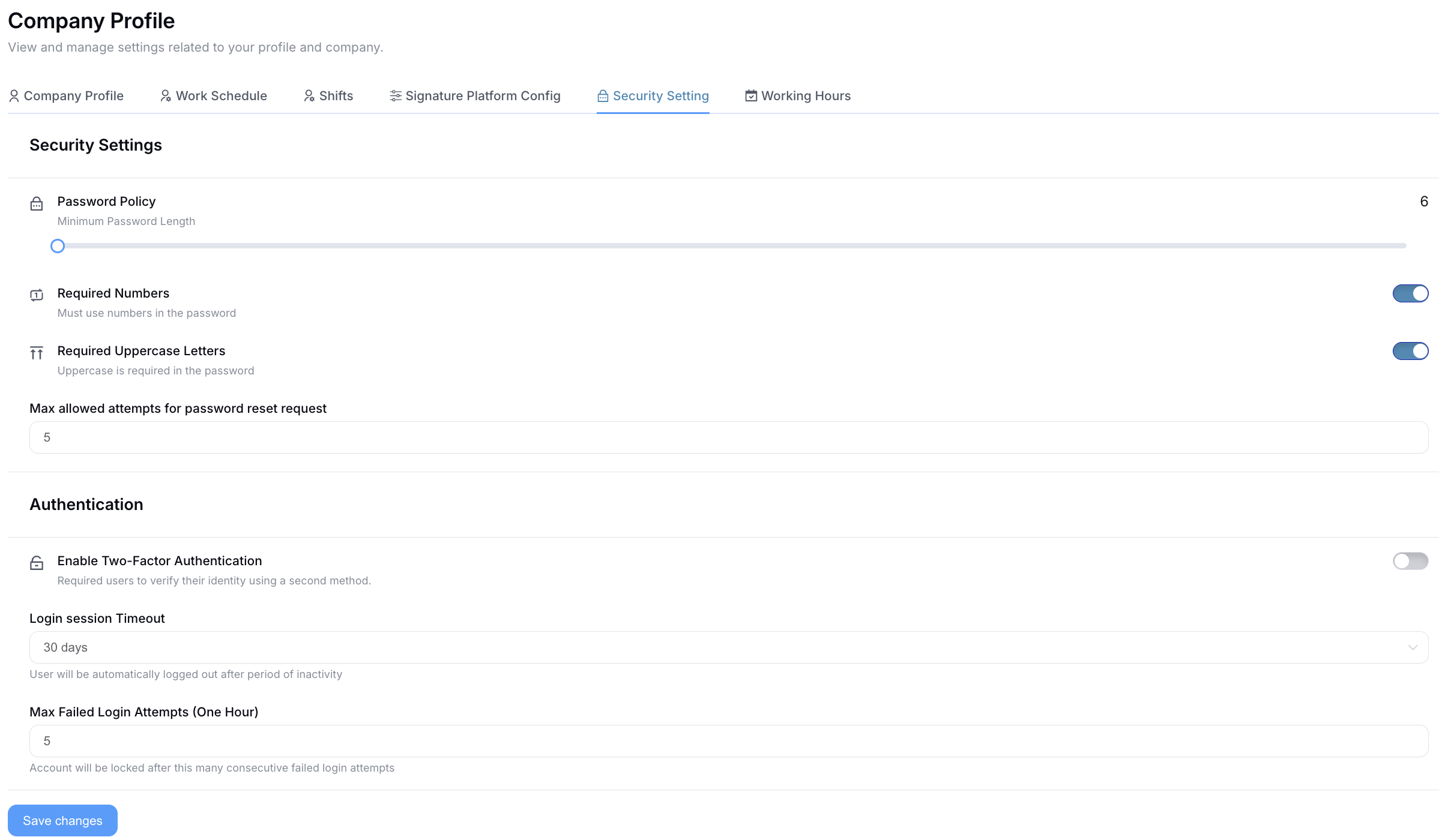
- Password Format: Define complexity requirements (minimum length, special characters, uppercase/lowercase, numbers)
- Password Strength Rules: Set mandatory password composition standards
- Password Expiration: Configure periodic password change requirements
Session Management
- Login Validity Period: Set how long users can remain logged in before automatic logout
- Session Timeout: Define inactive period before requiring re-authentication
Access Control
- Maximum Login Error Limit: Specify the number of failed login attempts before account lockout
- Account Lockout Duration: Set temporary or permanent lockout policies
- Two-Factor Authentication: Enable additional security layers (if applicable)
These security measures protect against unauthorized access and ensure compliance with data protection standards.
Working Hours
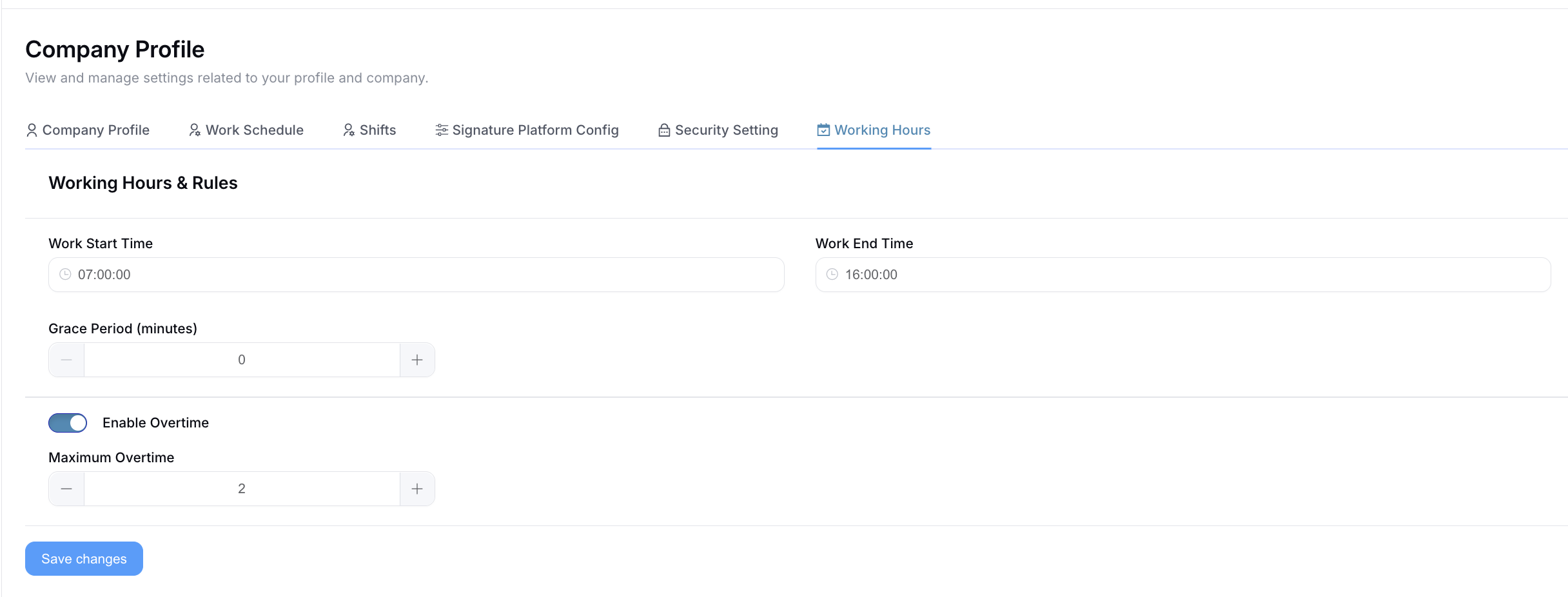
Administrators can define standard working hours and related policies that govern daily operations and attendance tracking.
Default Time Settings
- Work Start Time: Company-wide default time when work begins
- Work End Time: Company-wide default time when work concludes
These default times serve as the baseline for attendance tracking and are applied unless employee-specific schedules override them.
Overtime and Flexibility
- Maximum Overtime Time: Set the maximum allowable overtime hours per day or period
- Overtime Approval Requirements: Define when overtime requires pre-approval
Attendance Policies
- Lateness Grace Time: Configure a buffer period before late arrivals are marked as tardy (e.g., 5-10 minutes)
- Early Departure Threshold: Set parameters for early departure tracking
- Break Time Policies: Define paid vs. unpaid break periods
These settings ensure fair and consistent application of attendance policies while providing flexibility for operational needs and employee work-life balance.
Integrations
The Integrations tab holds the connections between ShiftCare HR and outside services.
Xagent / MCP Integration
Phase 5 runs every AI feature on Xagent. This card is where you connect it — it "lets an external AI agent platform (e.g. Xagent) read your organisation's employee and leave data — scoped to your organisation only, never any other tenant's."
To connect one:
- Go to Company Settings → Integrations.
- On the Xagent / MCP Integration card, click Generate Key.
- Give the platform the generated key. Until you create one the card reads "No keys yet. Generate one to connect an external agent to POST /hr/mcp."
Existing keys are listed with:
| Column | Notes |
|---|---|
| Label | Your name for the key, so you can tell them apart |
| Key | Shown as a short prefix followed by dots — the full key is only visible when generated |
| Created | When it was issued |
| Revoke | Cuts off that key's access immediately |
The table only ever shows a truncated prefix, so the full key cannot be read back later. Copy it at the moment of generation and store it somewhere safe. If it is lost, Revoke it and generate a new one.
A key grants read access to your own organisation's employee and leave data only — it cannot reach another tenant's records. Revoke any key you no longer recognise.
- AI Agents — the agents this connection powers
- Xero Integration — the payroll connection on the same tab
- E-signature Setup — the signing platform connection