Candidates Management
The Candidates Management module provides HR administrators with a comprehensive set of tools to manage applicants throughout the recruitment pipeline. From reviewing candidate profiles and adding notes, to sending emails and scheduling interviews, this module streamlines the entire candidate management process.
View/Edit Candidate + Add Notes
The candidate profile section allows you to review, update, and annotate candidate information as they progress through the recruitment process.
Managing Candidate Records
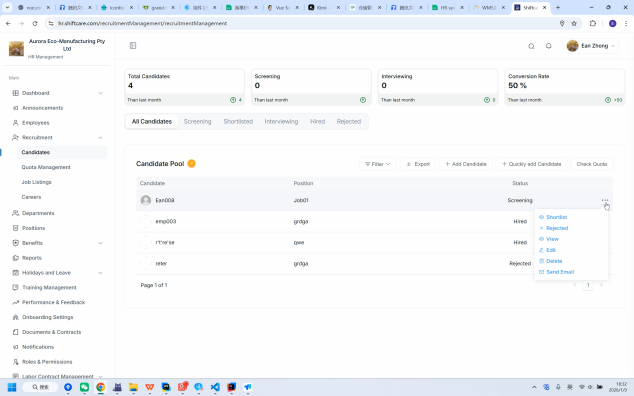
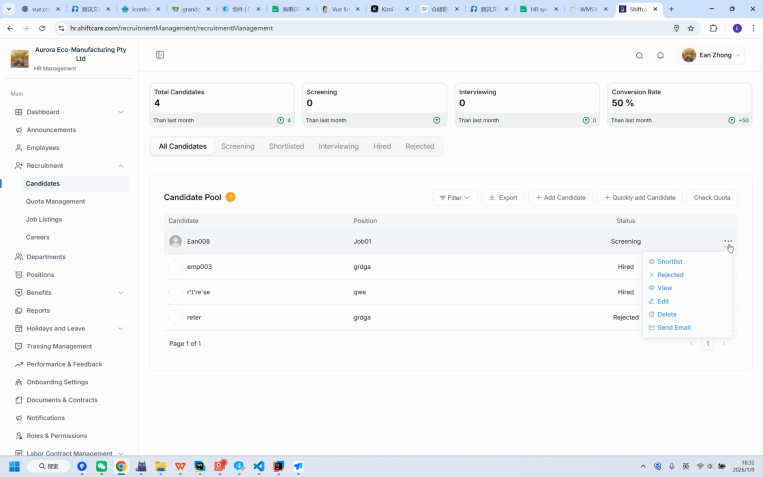
The "More" button allows for the modification of employee statuses. From this view, you can:
- View Candidate Details: Access the full profile of each applicant
- Edit Information: Update candidate records as new information becomes available
- Add Notes: Attach internal notes for the recruitment team to reference
- Change Status: Move candidates through different stages of the hiring pipeline
Send Email (with Customizable Template)
The email feature allows you to communicate with candidates directly from the system using pre-built or custom email templates.
How to Send Emails
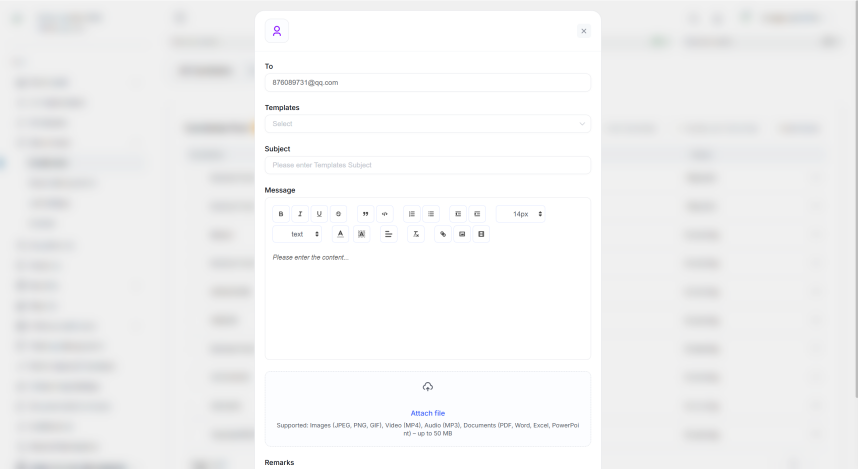
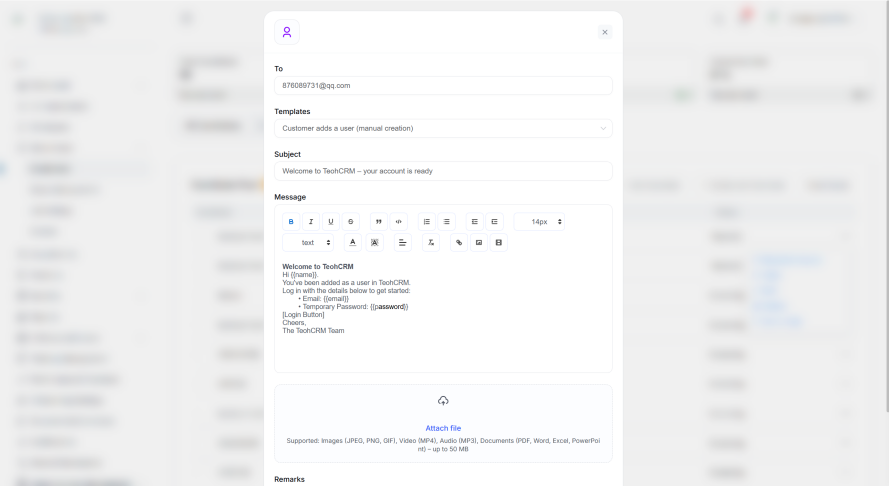
Selecting a designated email template can quickly and automatically populate the email content, saving time and ensuring consistent communication.
Email template features:
- Pre-built Templates: Choose from existing templates for common communications
- Auto-populate Content: Template selection automatically fills in the email body
- Customization: Modify template content before sending if needed
- Candidate Details: Recipient information is pre-filled from the candidate record
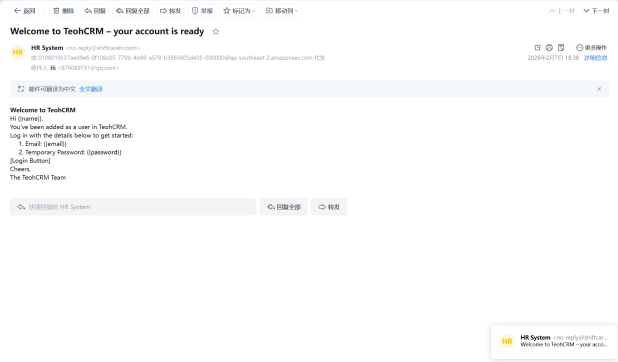
Email Notifications
The system handles email delivery automatically to ensure candidates receive timely communications.
How Notifications Work
The email will be automatically sent to the employee's email address. Once you confirm and send an email:
- The system delivers the email to the candidate's registered email address
- A copy is retained in the system for record-keeping
- The communication is logged in the candidate's profile
View Candidate Information
The candidate list provides a consolidated view of all applicants in your recruitment pipeline.
Candidate List Overview
The list of candidates will be presented here, including those who have self-added and those who have applied through job postings.
The candidate list includes:
- Self-added Candidates: Candidates manually entered by HR
- Job Applicants: Candidates who applied through published job postings
- Candidate Status: Current stage in the recruitment process
- Application Details: Date applied, position applied for, and source
Schedule Interview
The interview scheduling feature allows you to set up and manage interviews with candidates efficiently.
Setting Up an Interview
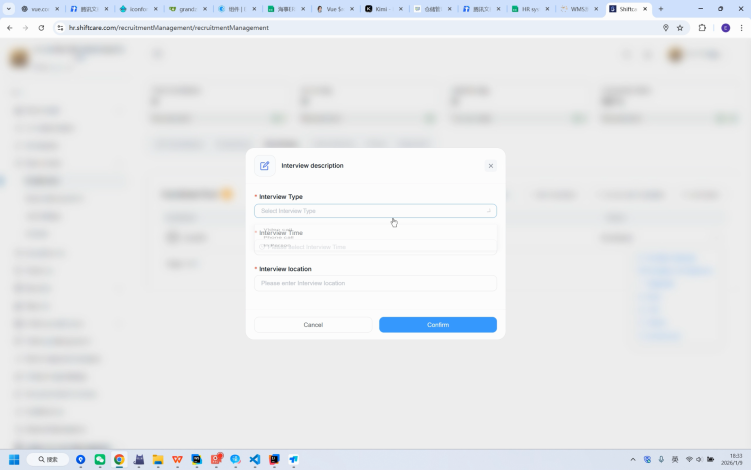
Set interview type, interview time, interview location, and other information.
Interview details you can configure:
- Interview Type: Phone screen, video call, in-person, panel interview
- Interview Date & Time: Select the preferred schedule
- Interview Location: Specify the venue or virtual meeting link
- Interviewers: Assign team members to conduct the interview
- Additional Notes: Add any special instructions or preparation materials