Announcement
The Announcement module serves as the central communication hub for company-wide notifications, updates, and important messages. This system ensures employees stay informed about organizational news, policy changes, events, and other critical information in a timely manner.
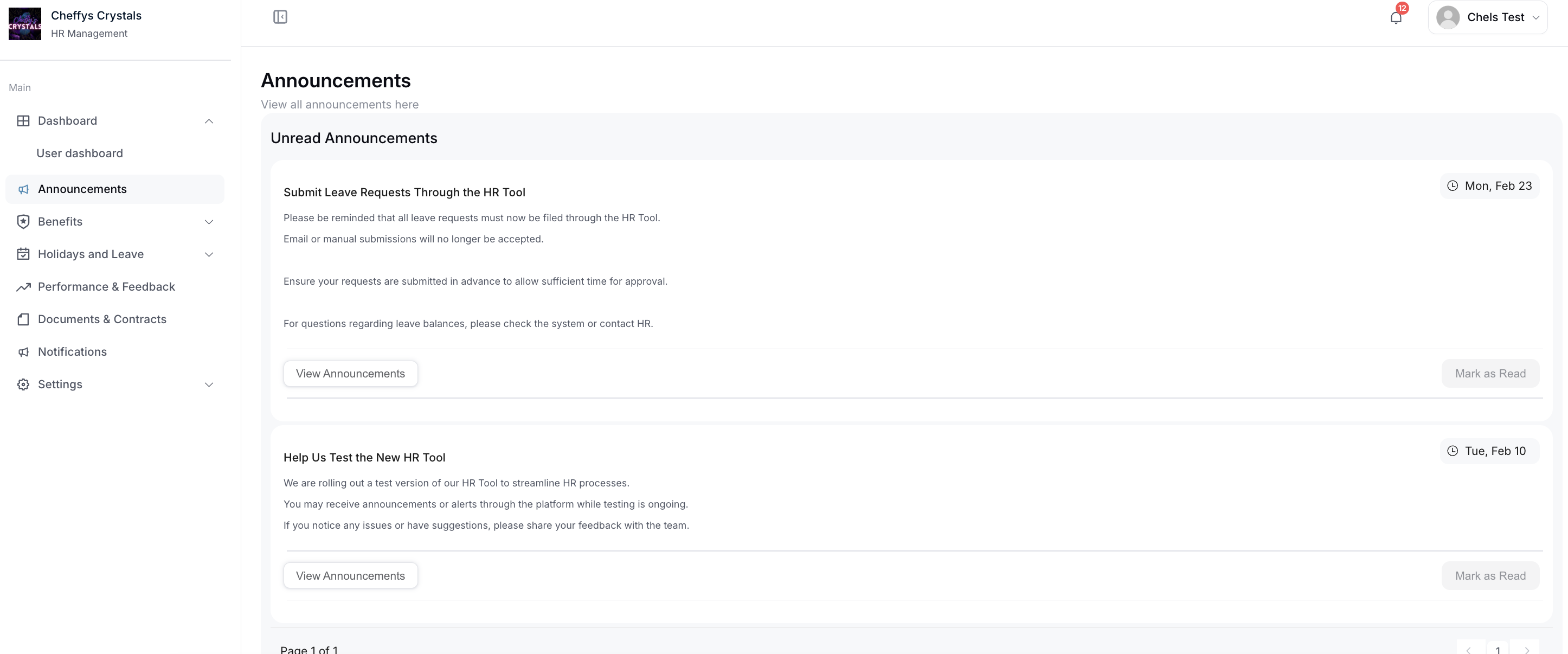
Unread Announcements
The Unread Announcements section displays a prioritized list of all notification messages that you haven't yet reviewed. This inbox-style interface helps ensure you don't miss important company communications.
Display Information
Each unread announcement shows:
- Announcement Title: Brief summary of the message
- Sender/Department: Who posted the announcement (typically HR, Management, or specific departments)
- Date & Time: When the announcement was published
- Priority Level: Urgency indicator (High, Medium, Low)
- Category: Type of announcement (Policy Update, Event, News, Urgent Notice, etc.)
Notification Badge
A notification counter displays the total number of unread announcements, helping you quickly identify when new messages arrive.
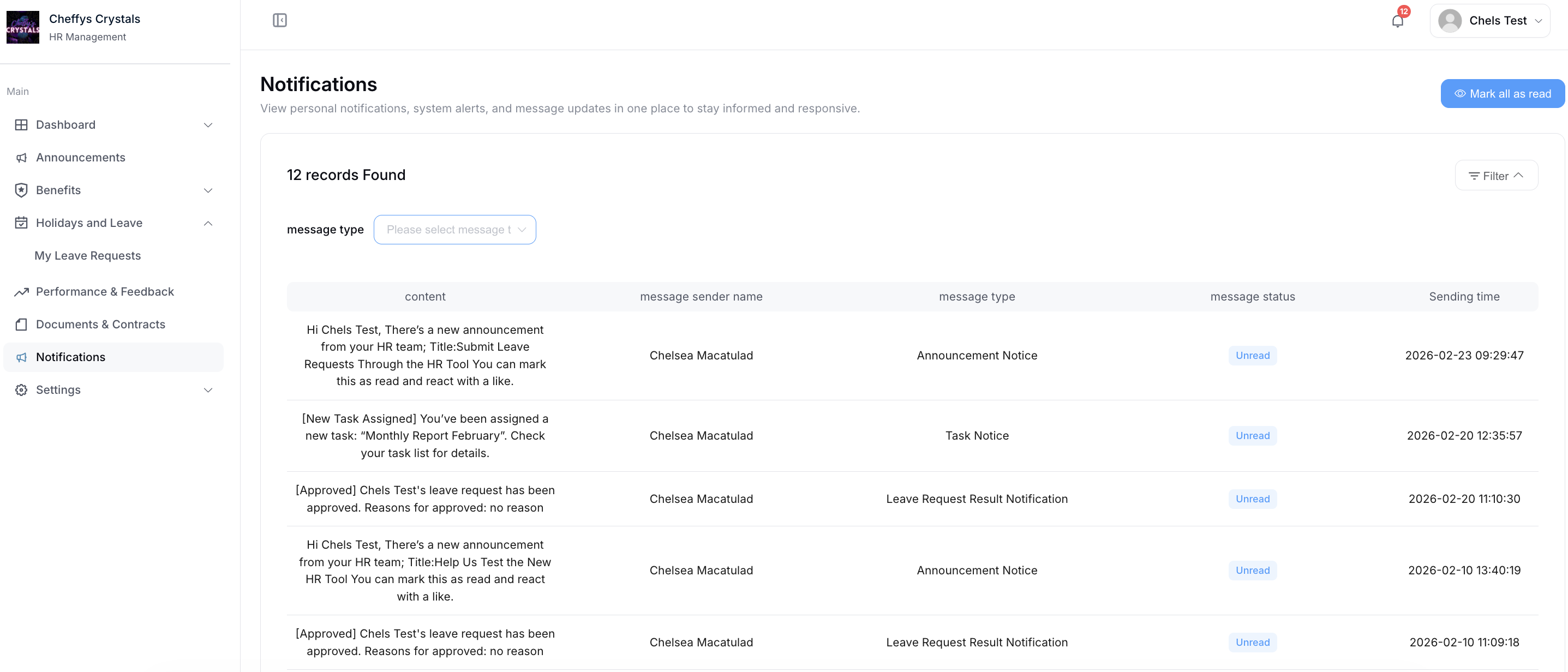
Mark as Read
Click the Mark as Read button to update the notification status and acknowledge that you've received the message.
Marking Options
- Individual: Mark a single announcement as read by clicking the button next to that specific message
- Bulk Selection: Select multiple announcements and mark them all as read simultaneously
- Mark All as Read: Clear all unread announcements at once (if available)
Status Update
Once marked as read:
- The announcement moves from the "Unread" to "Read" section
- The notification counter decreases accordingly
- The message remains accessible in your announcement history
- Visual indicators (such as bold text or highlighting) are removed
This feature helps you manage your notification inbox efficiently and maintain a clear overview of which messages require attention.
View Announcements
Click the View button or announcement title to enter the detailed announcement page where you can access the complete message content.
Announcement Details Page
The detail view displays comprehensive information including:
- Full Announcement Content: Complete message text with formatting, images, or attachments
- Publication Information: Author, date, time, and department
- Priority and Category: Classification details
- Attached Files: Documents, images, or resources related to the announcement
- Related Links: URLs or references to additional information
- Target Audience: Specific departments or employee groups the announcement is intended for
Engagement Features
Like the Announcement
You can express acknowledgment or appreciation for announcements by clicking the Like button. This feature serves multiple purposes:
- Acknowledgment: Show that you've read and understood the message
- Appreciation: Express support or gratitude for positive news or updates
- Engagement Tracking: Helps HR and management gauge how well announcements are received
- Social Interaction: Creates a sense of community around company communications
Like Statistics
The system displays:
- Total number of likes the announcement has received
- Your like status (whether you've already liked it)
- Sometimes, a list of employees who have liked the announcement (depending on privacy settings)
Additional Actions
From the announcement details page, you may also be able to:
- Share: Forward the announcement to colleagues
- Comment: Add feedback or questions (if commenting is enabled)
- Download Attachments: Save related documents or files
- Print: Generate a printable version of the announcement
Benefits of the Announcement System
For Employees
- Stay informed about important company updates in real-time
- Access all announcements in one centralized location
- Easily track which messages you've read or need to review
- Engage with company communications through likes and comments
For HR and Management
- Ensure critical information reaches all employees efficiently
- Track engagement through read receipts and likes
- Maintain a searchable archive of all company communications
- Send targeted announcements to specific departments or groups
- Reduce email overload by centralizing organizational communications