Dashboard
When you sign in to ShiftCare HR you land on Hera, your AI assistant and starting point for the day. You can ask Hera questions in plain language, see a summary of your own information, and jump to anything that needs your attention.
Hera
Hera opens with a greeting and a message box where you type a question or request. Suggested prompts appear beneath it if you're not sure where to start.
You'll also see:
- A summary of your information, such as your leave and outstanding tasks
- Items needing attention, each with an option to ask Hera about it directly
- Your chat history, so you can return to an earlier conversation or start a new one
Hera is actively being developed, so the suggestions and summary cards you see may change between releases.
Dashboard view
The dashboard view greets you with Hello there, {your name} and shows four cards.
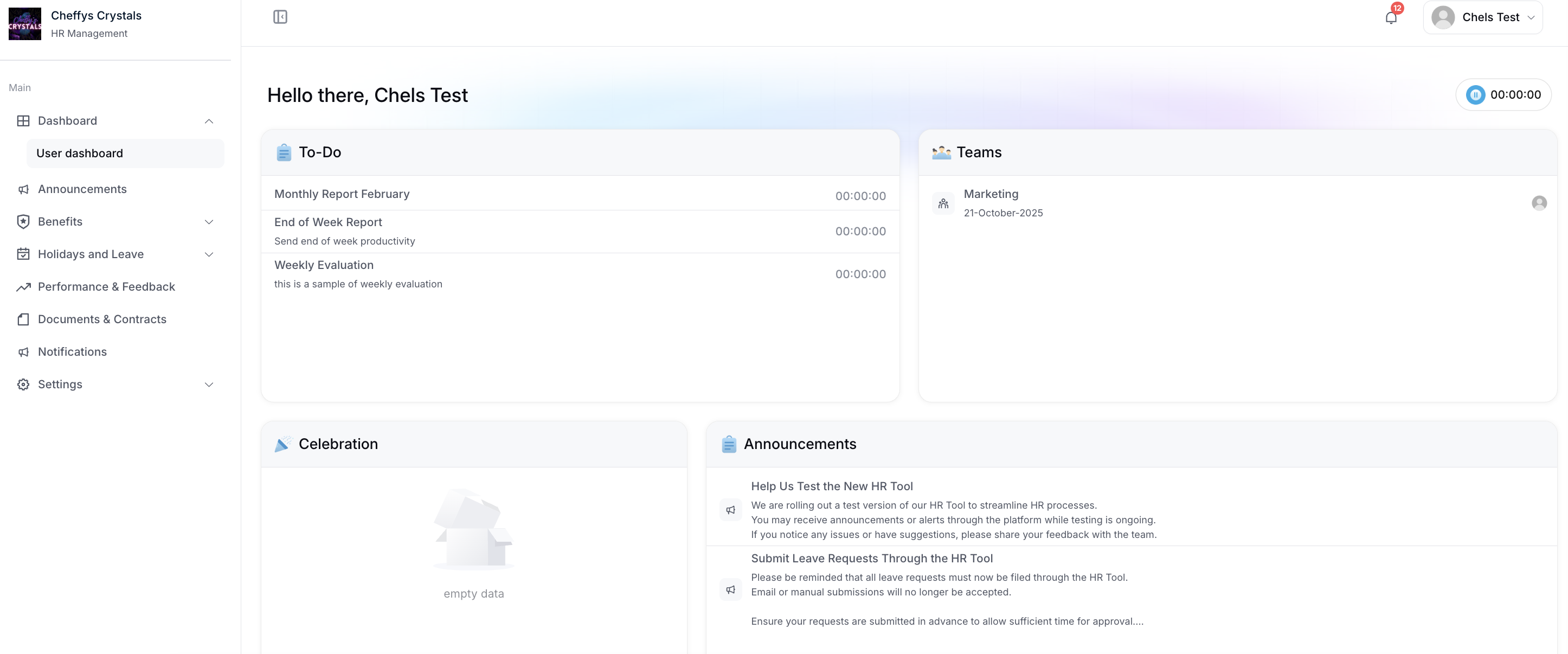
To-Do
Lists the tasks and targets assigned to you, each with its name, description, and execution time. Select any item to open it in full.
Teams
Shows the departments you belong to, along with the date you joined and the other members of each team.
Celebration
Lists upcoming celebrations, such as birthdays and company events, with a short description for each.
Announcements
Lists recent company announcements with a preview of their content. Select one to read it in full.
Related pages
- Leave Requests - view balances and request leave
- Announcements - read and acknowledge company announcements
- Onboarding - complete your onboarding tasks
- Account Settings - manage notifications and security