Account Settings
Account Settings is where you manage how you sign in, which notifications you receive, and your password.
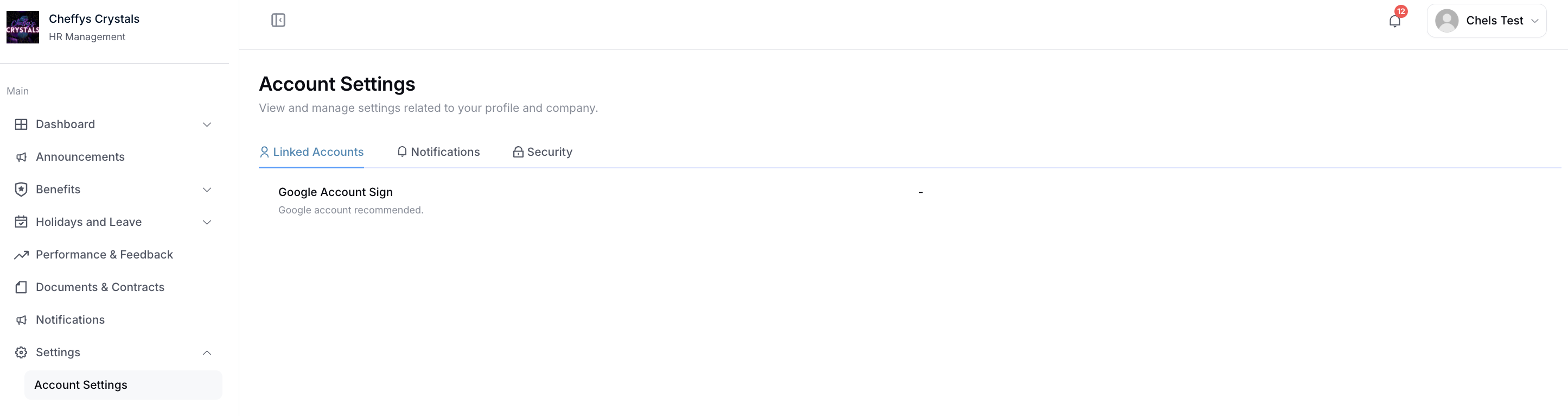
The page has three tabs: Linked Accounts, Notifications, and Security.
Your picture is changed from My Profile, not from this page. See Profile picture below.
Profile picture
Your profile picture is yours to change — you set your own, and nobody sets it for you. An HR administrator can see your picture on your employee record but cannot replace it; there is no control for that anywhere in the admin screens.
To change it:
- Open the user menu from the top bar and select My Profile.
- Select the edit icon in the bottom corner of your picture at the top of the page.
- In the Update avatar dialog, select select to choose an image file.
- Adjust it if you need to — the dialog has zoom in and out, and rotate left and right.
- Select submit. A UPDATE SUCCESS message confirms it, and the new picture appears immediately in the top bar.
What you can upload
| Formats | BMP, GIF, JPG, JPEG or PNG |
| Maximum size | 10 MB |
Choosing a file that is not an image is refused with "The file format is incorrect. Please upload pictures with file types such as JPG or PNG (file suffixes)". A file over 10 MB is refused with "File size exceeds the maximum limit of 10MB".
Linked Accounts
Link an external account so you can sign in without a password.
Sign in with Google lets you use your Google account to sign in. Once linked, select Unbinding if you want to remove the connection and go back to signing in with your password.
Notifications
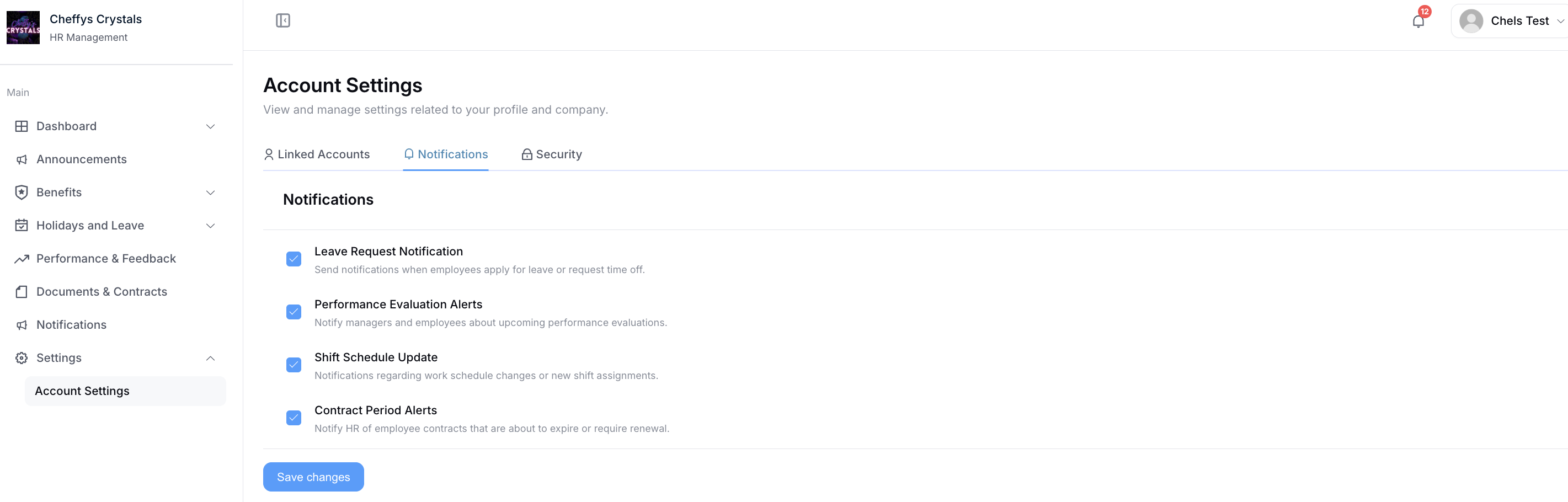
Choose which notifications you want to receive:
- Leave Request Notification
- Performance Evaluation Alerts
- Shift Schedule Update
- Contract Period Alerts
Turn each one on or off, then select Save changes.
Some notifications are sent regardless of these settings - for example messages about your account or security.
Security
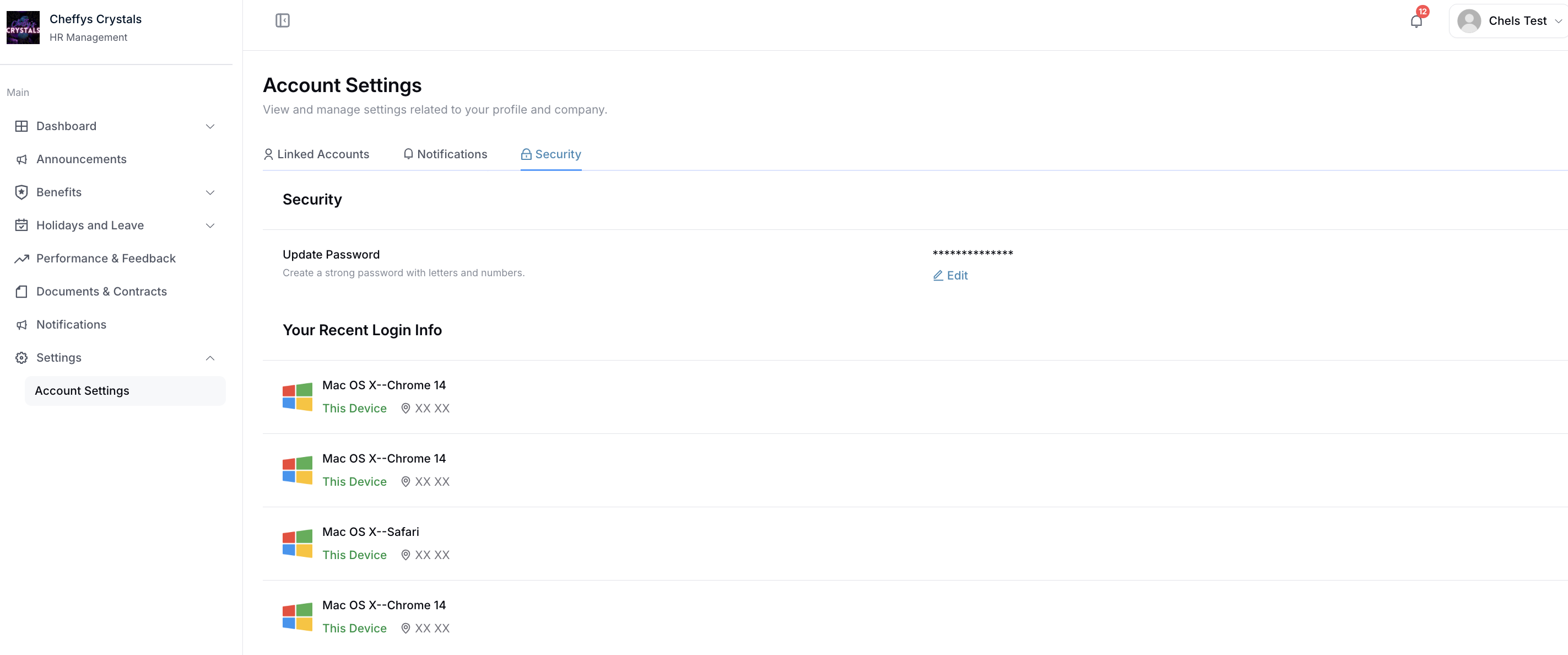
Update Password
Select Edit next to Update Password, then enter your current password followed by your new one.
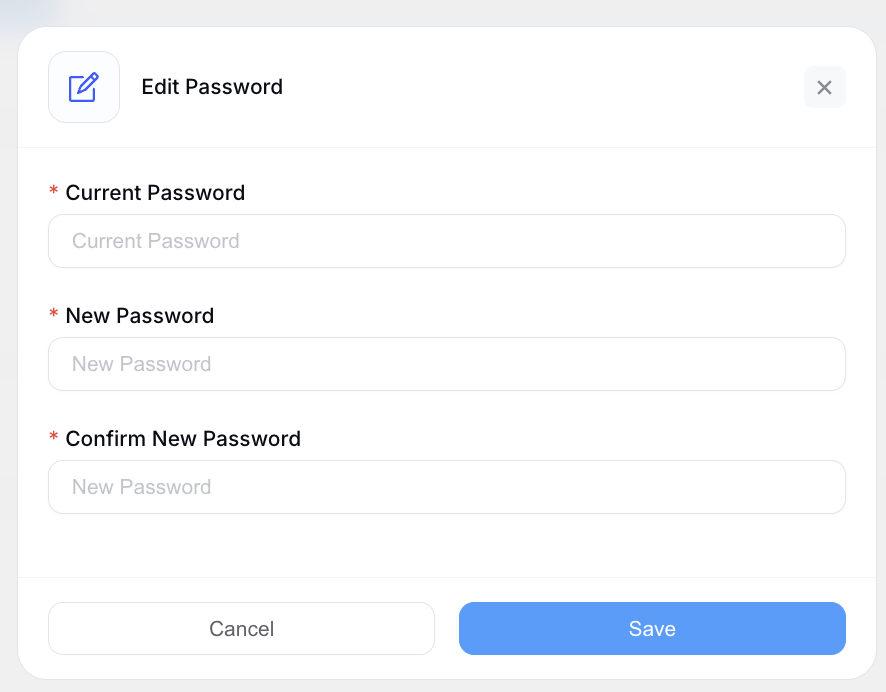
Your company sets its own password requirements, such as minimum length and whether numbers or special characters are needed. If your new password is rejected, check it meets those rules.
Your Recent Login Info
Below the password section, Your Recent Login Info lists the recent sign-ins on your account. Each entry shows the operating system and browser used, along with the location, and marks the one you're currently using as This Device.
Check this occasionally - if you see a sign-in you don't recognise, change your password and let your HR team know.